There are two types of Tags:
**************************************************
To set up Project tags to apply to a Company Blueprint:
First go to Blueprint > Company Blueprints > Overview
Click on the  Template Project icon under Actions
Then proceed to Admin > Preferences > Tags Management
**************************************************
Any place you have added a tag you can Untag
For example, if you want to untag a blueprint:
Go to Knowledge > Blueprints > Company Blueprints tab
Double click on a Blueprint to go to the Overview tab.
Double click on the Tags box to edit
Click on the X next to any Tags you wish to remove
Click Save on the top left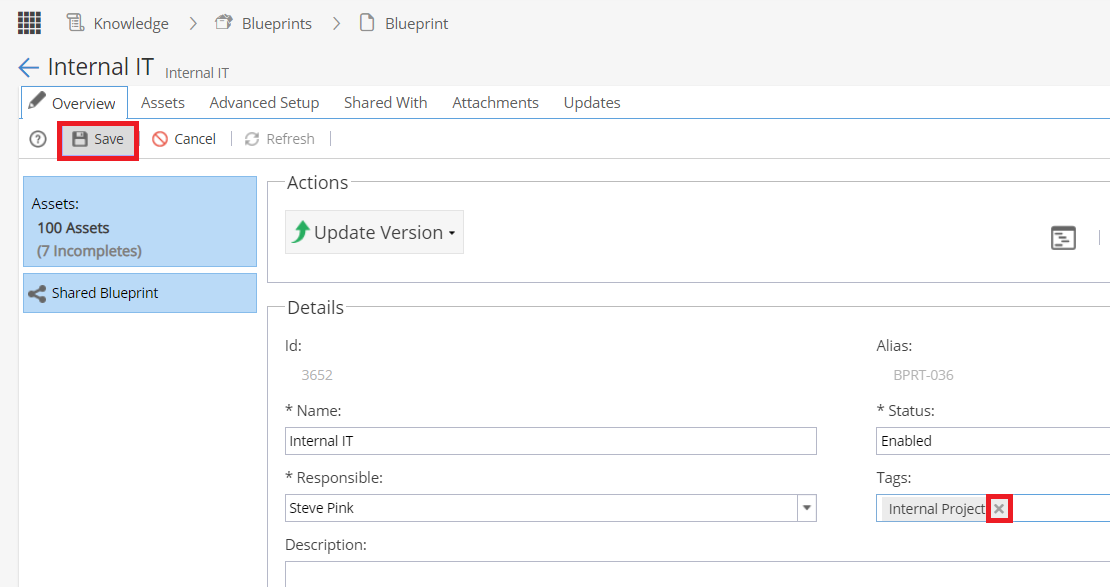
**************************************************
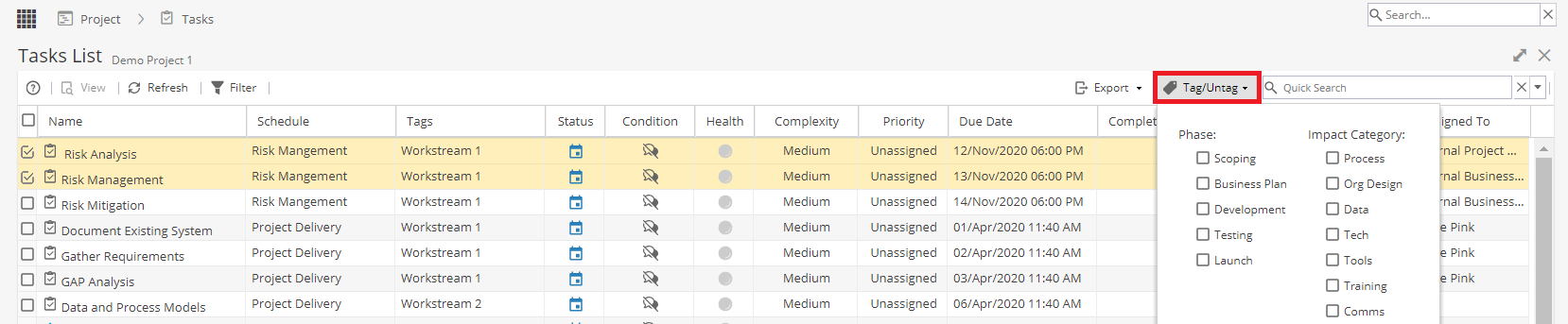
Some screens, such as Project > Tasks > Tasks List will allow you to select multipleTasks and then tagor untagin bulk. Look for this option on the top right: