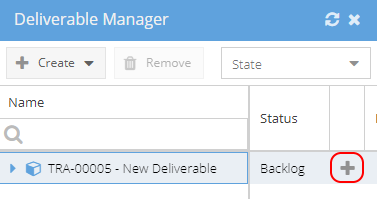
You can create new Deliverables from the Project
 If you have a Deliverable which has already been configured in the Blueprint you may find it easier to create and plan Deliverables directly from the Gantt using the Deliverable Manager.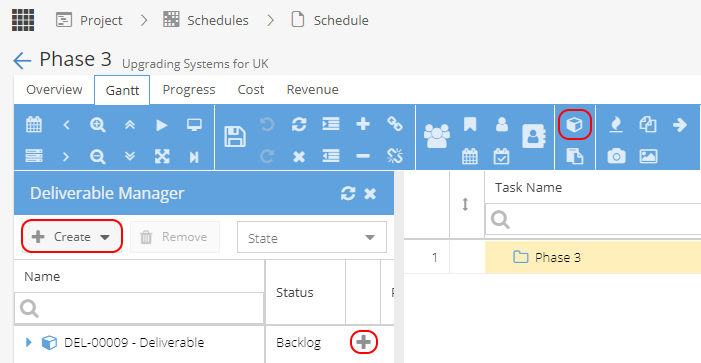
If you need to create a new Deliverable, go to the Project > Deliverables menu:
Click + New
You will see a version of the Overview tab to start adding some information: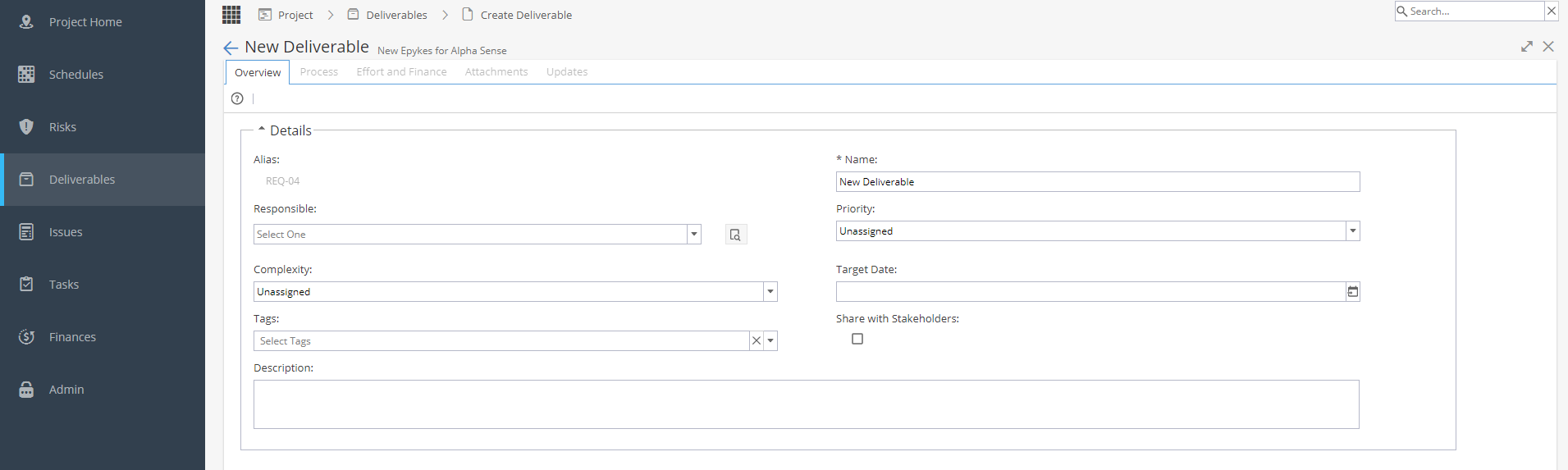
Details
- Alias *Usually system generated, depending on settings under Admin > Configuration > Company Preferences > Automatic Alias
- Name of the Deliverable
- User Responsible
- Priority
- Complexity (Unassigned, Easy, Medium, Difficult, Very Difficult)
- Target Date
- Tags
- Share with Stakeholder?
- Description
Form
This section will only be visible if Custom Fields have been added to the Deliverable from the Blueprint.
The custom field names & types available are set under Blueprints > Advanced Setup > Fields
These fields are then linked to a Deliverable and set as visible / mandatory in Blueprints > Assets > Deliverables under the Fields tab.
Once you click OK to create the Deliverable, you will be taken back to the full view of the Overview tab which allows you to visit some of the other tabs.
Remember once your Deliverable has been created and the process Tasks have been set up it will need to be planned.
From the Schedule > Gantt, click on the Deliverable Manager icon 
Your Deliverable should show in the list with the Status as Backlog.
Click on the + icon to Plan in your Schedule
Resources can then be assigned / dates adjusted so the Deliverable can be worked on.