The Deliverable Overview tab allows you to see the main details of the Deliverable, this tab has 4 sections:
Yellow Information Panel
Actions section
Form section
Details section
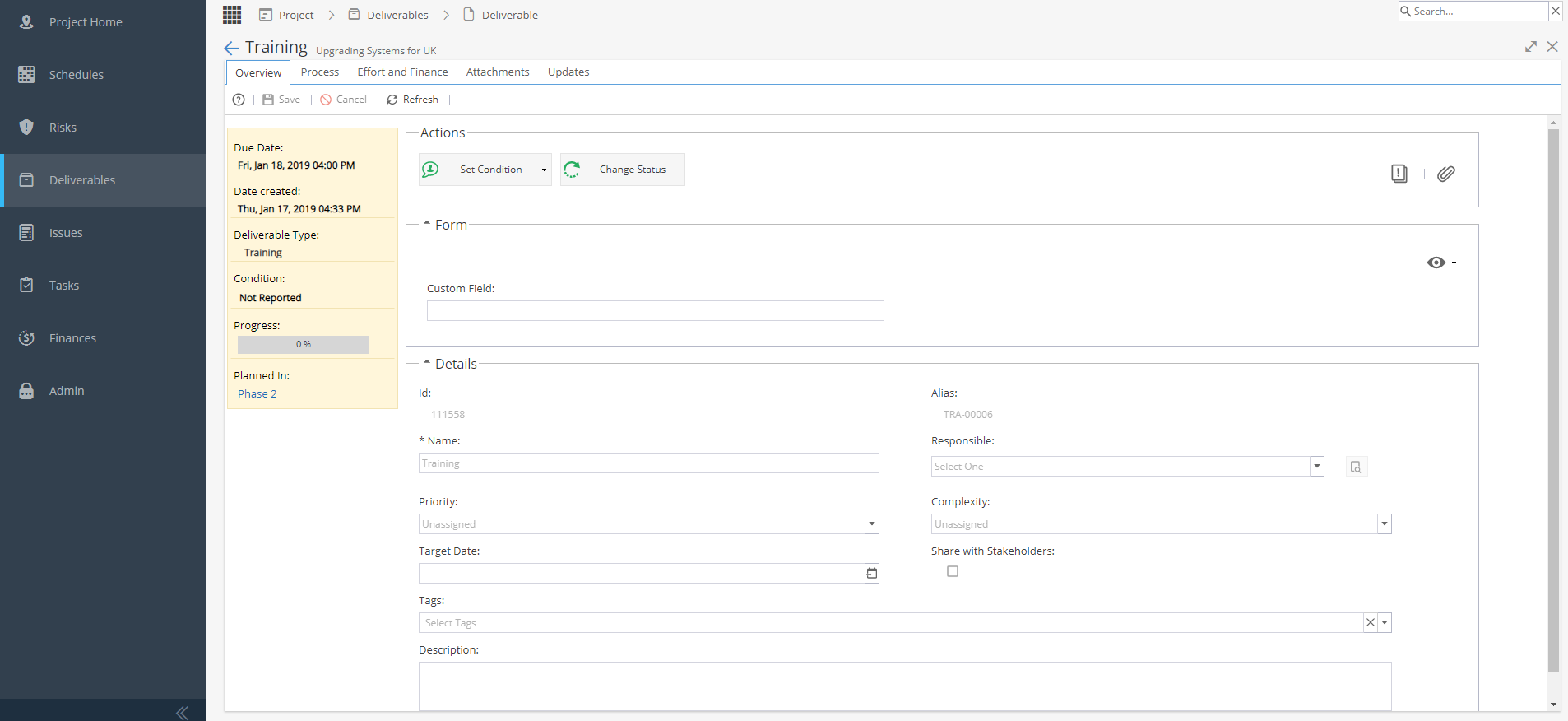
To Save or Cancel any changes you make, use the Buttons in the Toolbar
Yellow Information Panel
- Due Date
- Date Created
- Deliverable Type
- Condition
- Progress %
- Planned In (Schedule Name)
Actions
Set Condition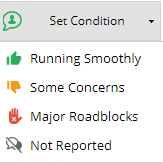
Change Status - This option will only show if States are configured under Blueprints > Deliverables > Assets
 View Guide, including Instructions, Custom Fields, Description
Based on configuration in Blueprint > Assets > Deliverables
Look at the Process / States / Fields and Instructions tabs. Add / View Documents - Shortcut to the Attachments tab
Form
This section will only be visible if Custom Fields have been configured.
The custom fields names and types are set under Blueprints > Advanced Setup > Fields
These fields are set as visible / mandatory in Blueprints > Assets > Deliverables under the Fields tab.
On the top right of the Form section you will see an eye icon
This allows you to change which fields are visible from the checkbox options: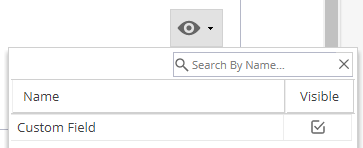
- ID
- Alias
- Name of the Deliverable
- User Responsible
- Priority (Unassigned, Low, Medium, High)
- Complexity (Unassigned, Easy, Medium, Difficult, Very Difficult)
- Target Date
- Tags (From Project > Admin > Preferences > Tags Management)
- Share with Stakeholder?
- Description