The Risks List in Hydra shows you all of the risks in your Project.
From the list view you can see these basic details:
- Alias
- Name
- Tags
- Condition
- User Responsible
- Status (if configured)
- Exposure %
- Level
- Impact
- Priority
- If Risk is Shared with Stakeholders

On the top left you have these options:
You can Create a Risk with the + New button.
View a selected Risk with the View button, this will take you to the Risks > Overview screen.
Delete a selected Risk (that is not already planned) with the Delete Button.
Filter the list by using the filter options (User Responsible / Priority / Probability / Impact)
On the top right you have several options: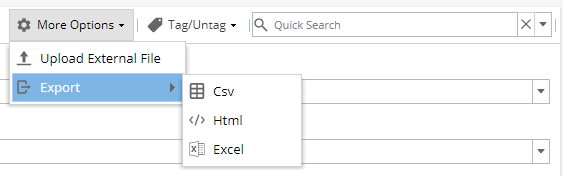
The More Options button gives you access to the Import/Export area.
You can Import Risks using the Upload External File option.
This will take you to a screen with a template to download to add the Risks before uploading.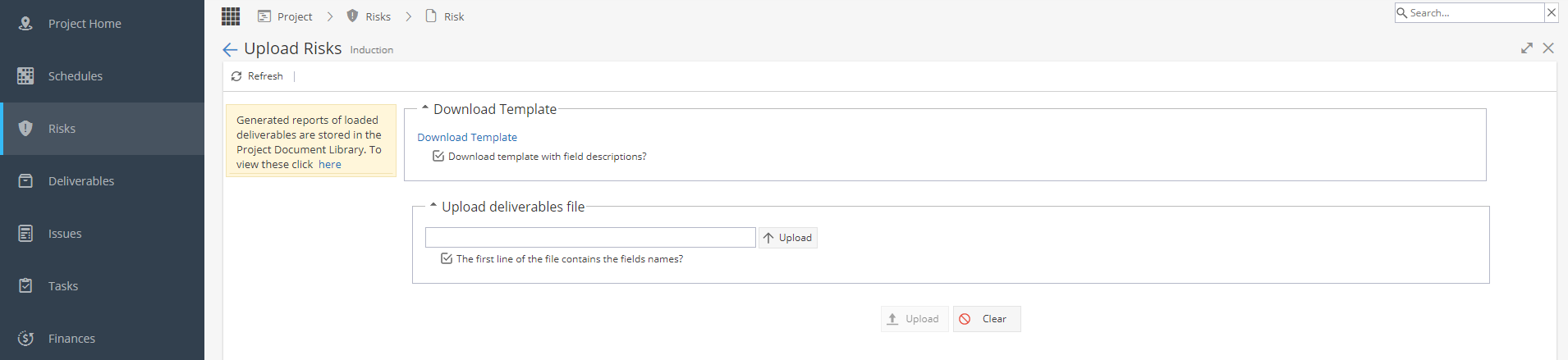
You can Export the list of Risks to CSV, HTML or Excel format.
The Tag/Untag Feature allows you to tag or untag Risks in bulk by selecting them from the list, and then selecting the tags you wish to Add or Remove.
*The list of Tag options is set via Project > Admin > Preferences under Tags Management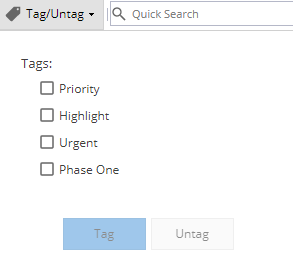
Using the Quick search feature you can search by Name, Alias, or by using Tags to filter the List