The Effort and Finance tab found within a Risks view shows you a breakdown of the risk and the costs and effort required on each Task found within. The following information can be found within the screen:
- Name - Name of the task
- Predecessors - If the Task is dependent on any other within the risk
- Status - The status of the task
- Estimated Cost - How much the task is expected to cost on completion
- Actual cost - The current cost incurred on the task
- Estimated vs Actual - How much the task is expected to cost, compared to the cost incurred so far
- Revenue - The revenue for the task
- Total Effort (h) - The number of hours required to complete the task
- Actual Effort (h) - The amount of effort in hours that have been logged against the risk at a particular point in time.
- Total vs Actual (h) - The total of effort required to complete the task compared to the effort logged against the task so far

If you click on a Task you can jump to the Task View by clicking on the View button.

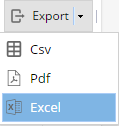
Export allows you to export the information available in this screen to your preferred format from a choice of CSV, PDF or Excel: