Setting up a New Customer
When setting up a new Customer only the Name (& Alias - if not system generated) is required, all other details are optional. When the details have been completed, click OK.
Overview for an Existing Customer
The fields which can be edited are the Name, Web Site, Organizational Unit, Tags and Description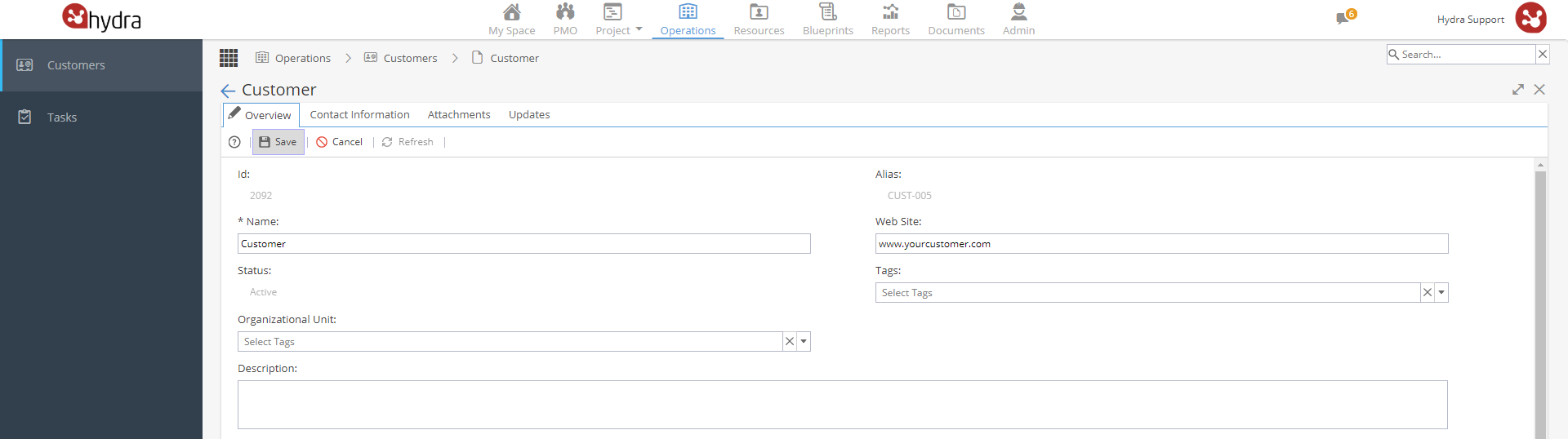
Associated Users
If you have an existing Resource you can click + Add User, remember this list will only show External Users, as Customers are external to your organisation.
When creating new Resources (as external users), you will have the option to add the Customer which will make them appear automatically in the Associated Users list. 
Projects
This section is view only for information. Projects will show here when a Customer is added to a Project (when a new Project is created via PMO or via the Project Home > Overview screen)