The Project Home Overview tab allows you to view and modify details as well as set the Condition and Status of the project.
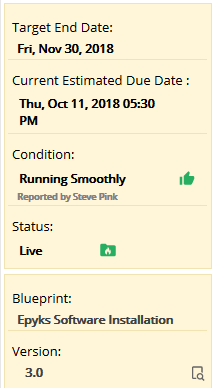
The yellow box on the left shows:
- The Target End Date
- The Current Estimated Due Date
- The Condition
- The Status
- Which Blueprint the project is based on.
- The Blueprint Version
The current estimated due date (based on the latest Schedule end date).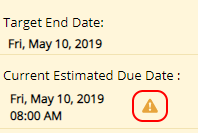
The current estimated due date will show a yellow warning triangle if the due date is on or past the Target End Date.
In the above example this warning could be useful because any delays in the Project from now until the end could cause the Project to finish later than expected.
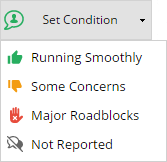
The Condition is a flag that shows anyone viewing the project a glance at how the project is progressing. You can select between the following options using the Set Condition button.
- Running smoothly
- Some concerns
- Major Roadblocks
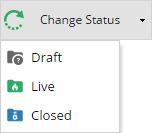
The project Status can be used to start your project, or set it as completed.
It has the following options:
- Draft
- Live
- Closed
Access to the projects Dashboard and Documents can be found in the top right of this screen.

The Additional Information section shows Custom Fields defined by your company, click here to read more about setting this up.
The Details section holds:
- The Name of the project
- The project Alias
- The Calendar in use
- The Start date
- The End date
- The Project Manager
- The Project Sponsor
- Tags
- Organisational Unit (*Will only show when enabled in Company Preferences)
- Description
The Customer List section shows you any Customers which have been added to the Project and if specified, Associated Users (External). Customers and users can be added or removed.