The Deliverables List in Hydra shows you all of the Deliverables in your Project.
From the list view you can see these basic details:
- Alias
- Name
- Tags
- Condition
- User Responsible
- Status (if configured)
- Complexity
- Priority
- Progress
- Shared with Stakeholder?
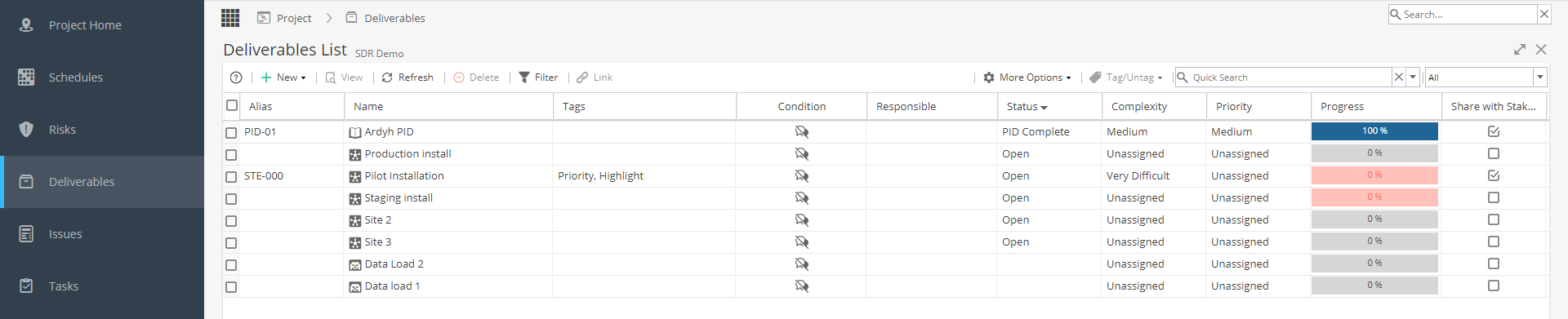
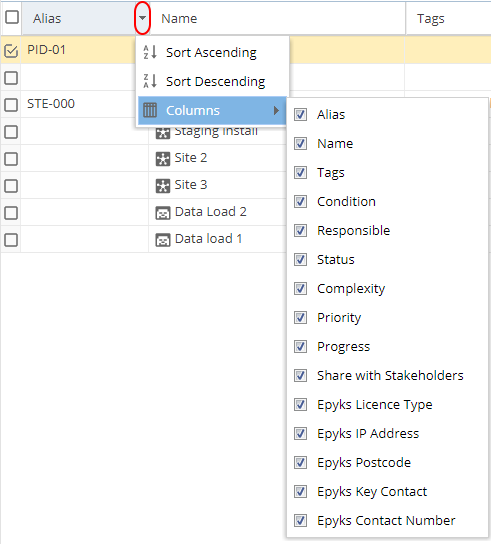
To Sort on a column, click the drop-down arrow on the right of a column heading and click 'Sort Ascending' / 'Sort Descending'.
To Hide / Display a column, click the drop-down arrow on the right of a column heading, scroll to 'Columns' and tick/untick a column as desired.
You may see additional columns not mentioned above - This will be based on any Custom Fields for Deliverables which have been created under Blueprints > Advanced Setup > Fields
From the top left of the screen you can:
+ New - Create a new Deliverable (Based on Deliverables available in the Blueprint).
View a Selected Deliverable (the row will highlight yellow) - This takes you to the Overview screen.
Refresh the page to check for any changes and see the data in real time
Delete a Deliverable (that is not already planned) with the Delete Button.
Filter the list by using the filter options:

From the top right of the screen you can:
More Options - Upload External File button gives you access to the Import/Export area. You can Export the list of Deliverables to CSV or Excel formats, or Import a new list of Deliverables 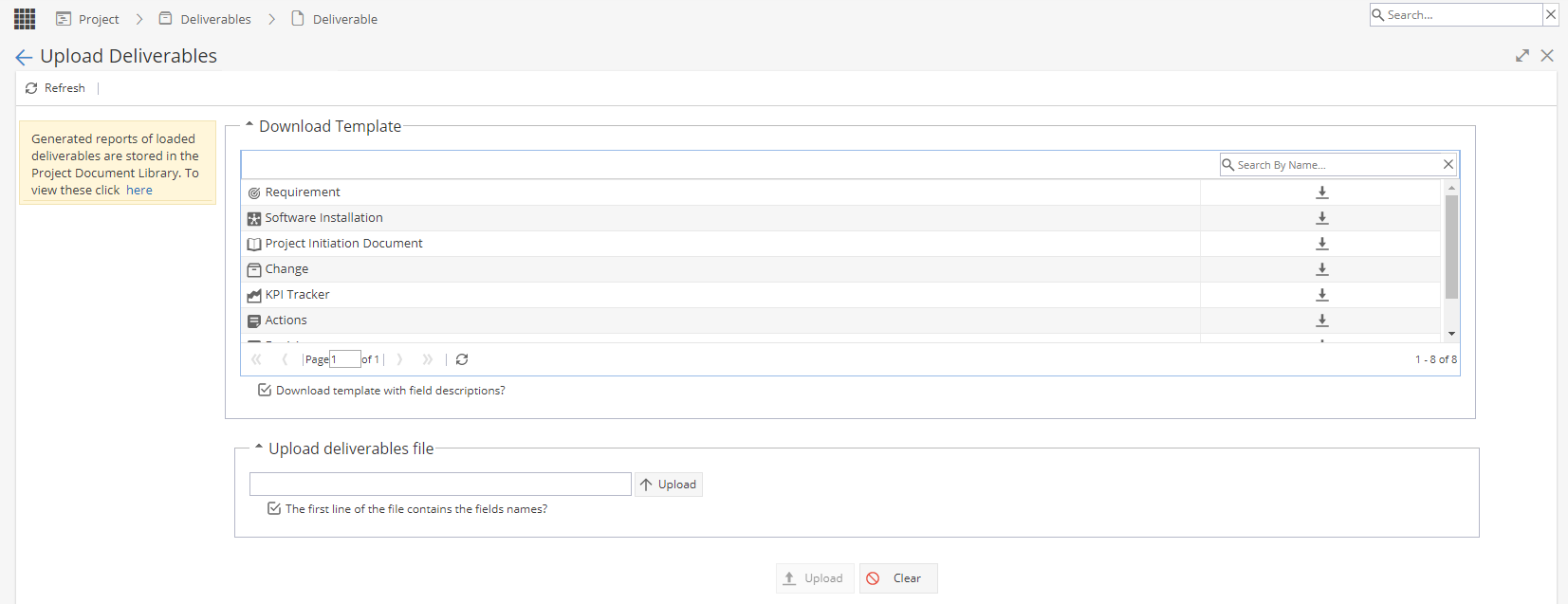
More Options - Export- Allows you to export a copy of the list in your preferred format.
The Tag/Untag Feature allows you to tag or untag Deliverables in bulk by selecting them from the list, and then selecting the tags you wish to Add or Remove. 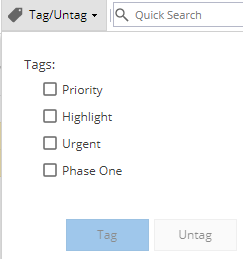
Using the Quick search feature you can search by Name, Alias, or by using Tags to filter the List
Note: Tags available are from Project > Admin > Preferences > Tags Management
The Display drop-down allows you to select a specific Type of Deliverable to display in the list.