Who is responsible for approving time logs?
| Time Logged | Approver | Where can I check this? | What if there is no Manager? |
| Project Tasks |
Project Manager (or Delegate) |
PMO > Projects > Project List Project > Project Home > Overview Delegates visible via: Resources > Teams > Structure |
A Project will always have a Project Manager (PM) |
| Admin Time e.g. Annual Leave |
Resource's Manager (or Delegate) | Resources > Teams > Structure | If the Resource does not have a Manager, these type of approvals will not be shown |
| Non-Project Task |
How does a Resource log time?
Read more on My Space > My Timesheets > Timesheets List
How does a PM add time on behalf of a Resource for a Project?
Read more on Project > Project Home > Timesheets
How does a manger add admin time for a Resource?
This can be done via Resources > Planning > Workload
or Resources > Planning > Scheduling
How does a manager approve time?
My Space > My Approvals > Time Log Approvals
The manager should review the entries before approving.
Example: if you are approving billable time and the rate shows as £0, the costs and rates need to be checked.
If you have a lot of entries, this may show over multiple pages (look at the bottom of the screen to check).
You can use the filter at the top to limit your view: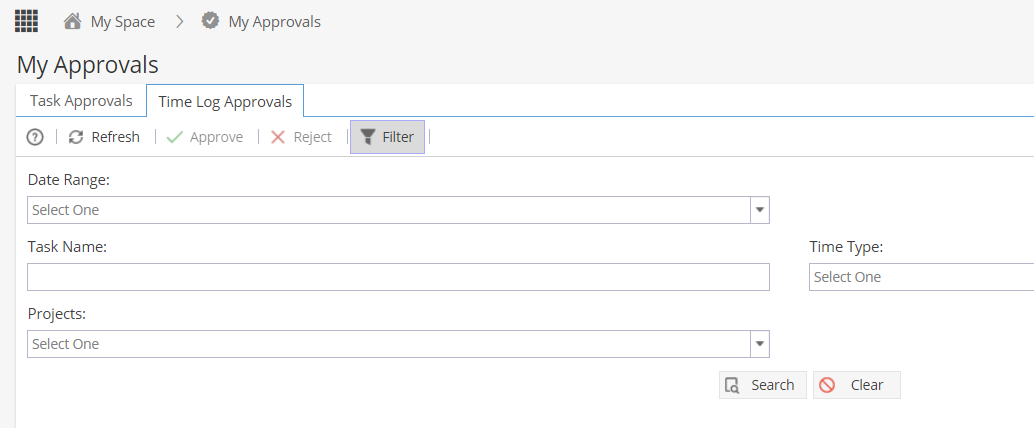
If you want to approve a single entry, click the green tick icon on the right hand side.
To approve multiple entries, use one or more checkboxes on the left.
To approve all entries on the page, tick the checkbox at the top left in the headers.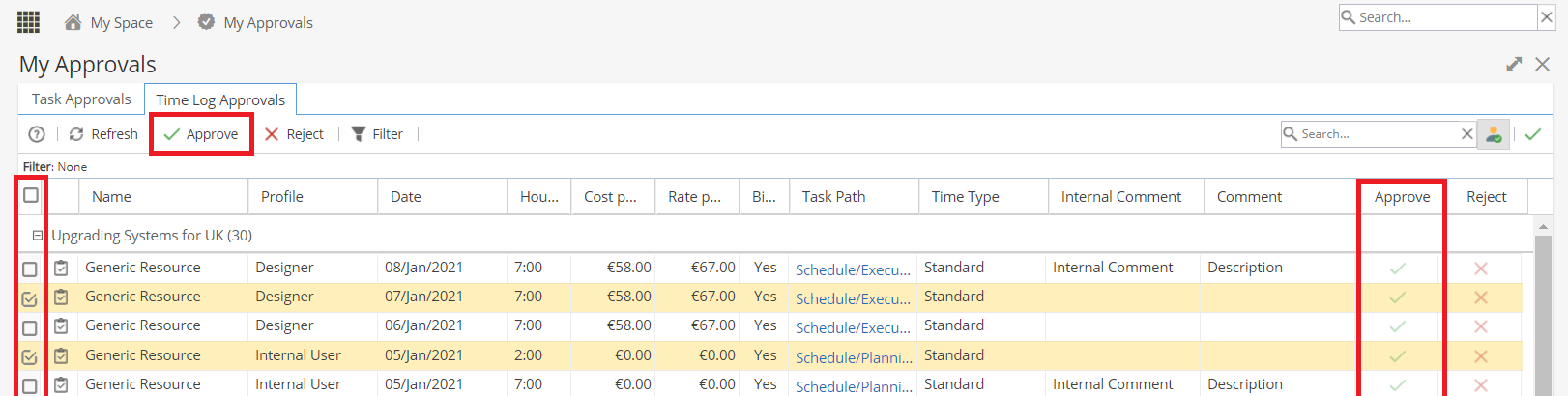
Once approved, the timesheet can not be edited by the Resource or via the Project > Project Home > Timesheets tab (unless un-approved first)
How does a manager reject time?
My Space > My Approvals > Time Log Approvals
Select one or multiple entries and click thered cross icon to un-approve.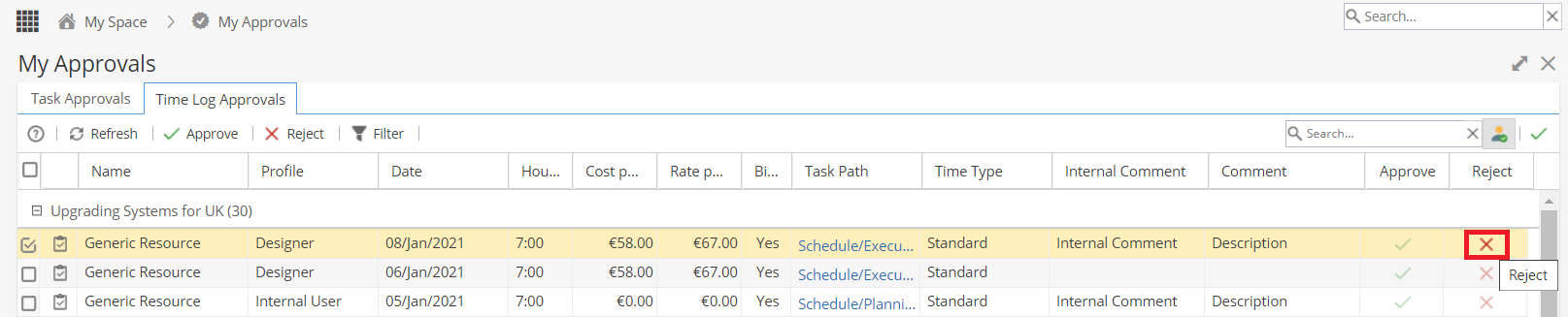
A pop up will show asking for a comment to be added to explain why the time logs are being rejected.
How does a manager un-approve time?
My Space > My Approvals > Time Log Approvals
Click on the green tick icon at the top right to change the view to show approved entries.
Select one or multiple entries and click the blue arrow icon to un-approve.
What happens when a manager goes on holiday / is off sick etc?
A Delegate can be appointed as a second approver.
This is set up by going to Resources > Teams > Structure
Update the Delegate Approvals To column: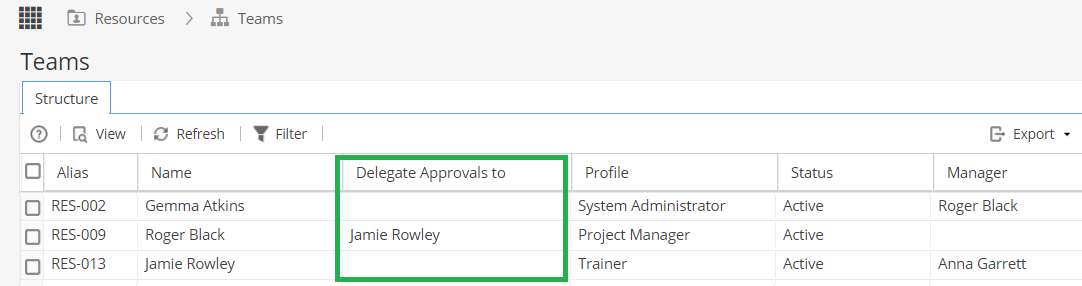
When a Delegate is set up both the manager and delegate can view time logs waiting to be approved.
Can I see if time has been approved from the Project?
From Project > Project Home > Timesheets tab
If you have a lot of Resources, you can use the Expand All option on the top right of the screen.
Approved times will show in a green block: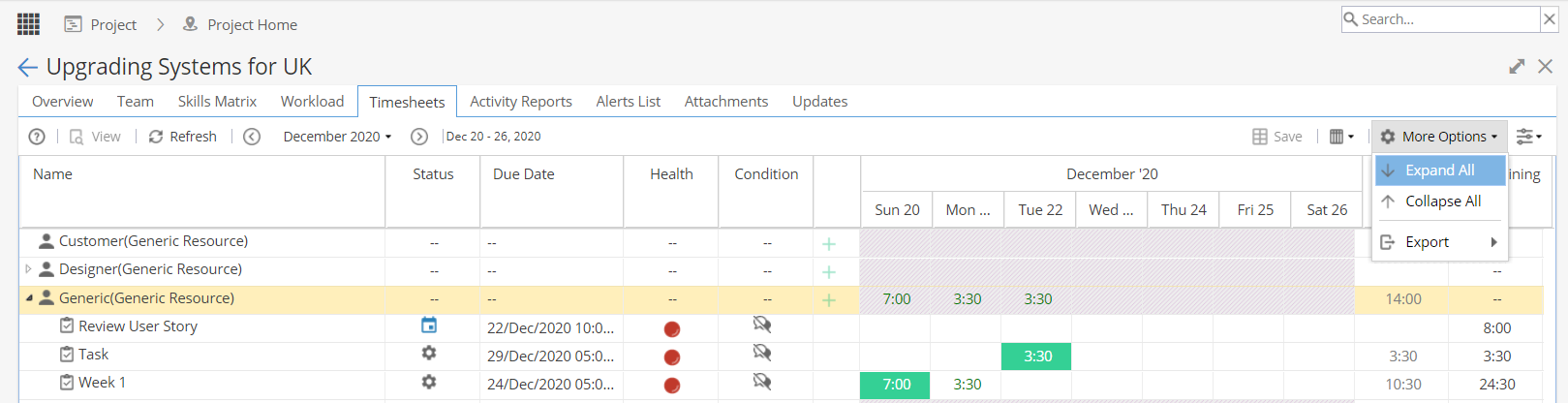
Can I see approval information in a Timesheet Report?
There are several columns available to add to a Timesheet Report: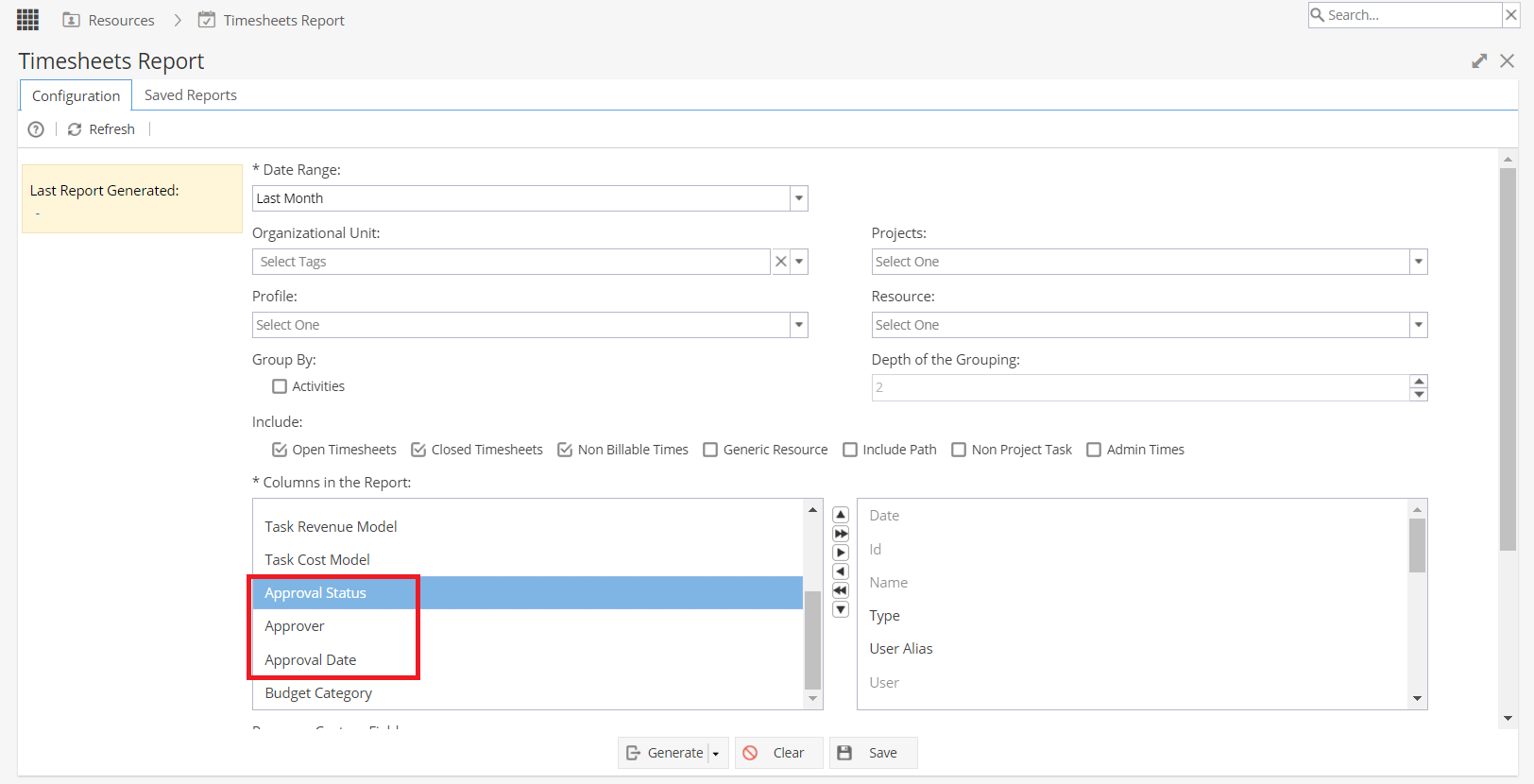
What if our Company is using Org Units?
The Time Logs will be visible to a delegated manager, even if they do not belong to the same organisational unit as the resource, as they have been nominated to act on a manager's behalf.
However, if a Project belongs to an org unit, they will be unable to view the details of the project, only the time log approvals.
How do I know if a Project is using Timesheets?
Check Project > Admin > Preferences
Look at the settings for Tracking Type
Typically this will be set to "Enable Time Logs - Yes" and "Progress Tracking Mode - Remaining"
What happens to Timesheet Approvals when a Project is closed?
Timesheet Approval requests will disappear from the PM's My Space > My Approvals > Time Log Approvals