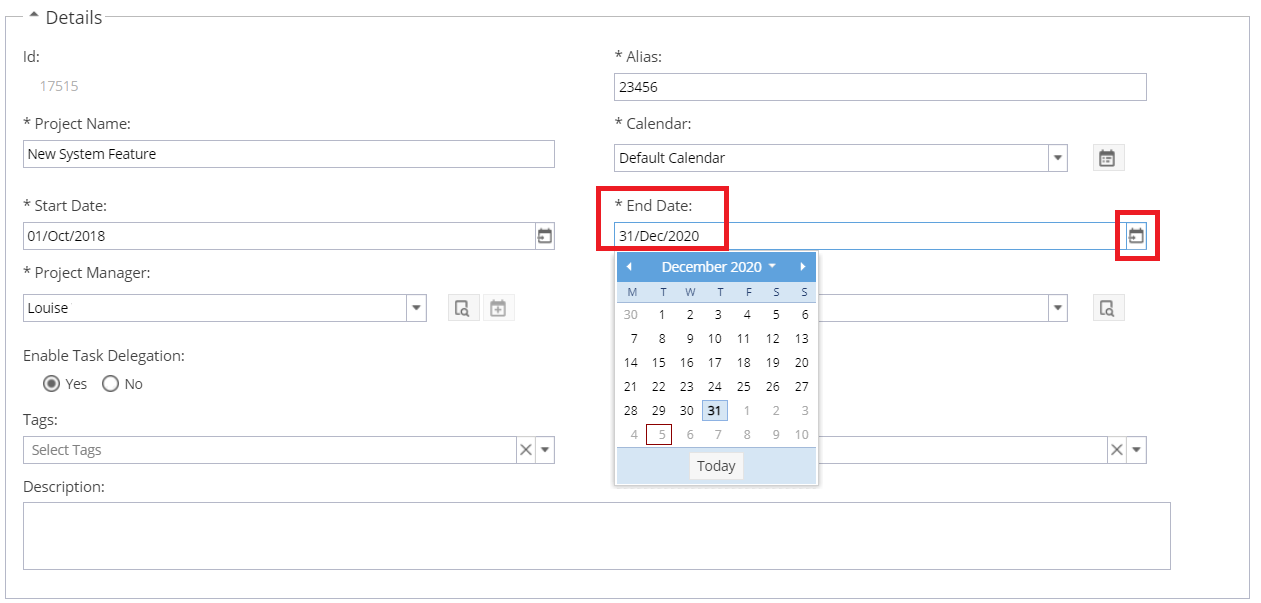
On the Project > Project Home > Overview tab, you may see the end date of the project is showing a different date to the current planned end date from the schedule.
In this case you will see a yellow warning triangle: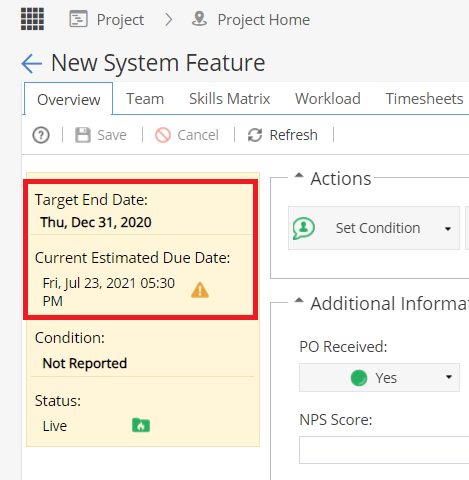
Note: The Project End Date is also displayed on the PMO > Projects > Projects List screen,
the PMO > Projects > Project Details screen
and some report widgets e.g. Company Dashboards > Tabular View Widget.
The end date can be updated from either:
Project > Project Home > Overview tab
or PMO > Projects > Project Details
Go to the Details section.
Double click in the End Date box to edit.
Click the calendar icon to select a new date.
Click Save on the top left.