Go to Project > Project Home > Overview tab
Click on the Change Status button and select Closed: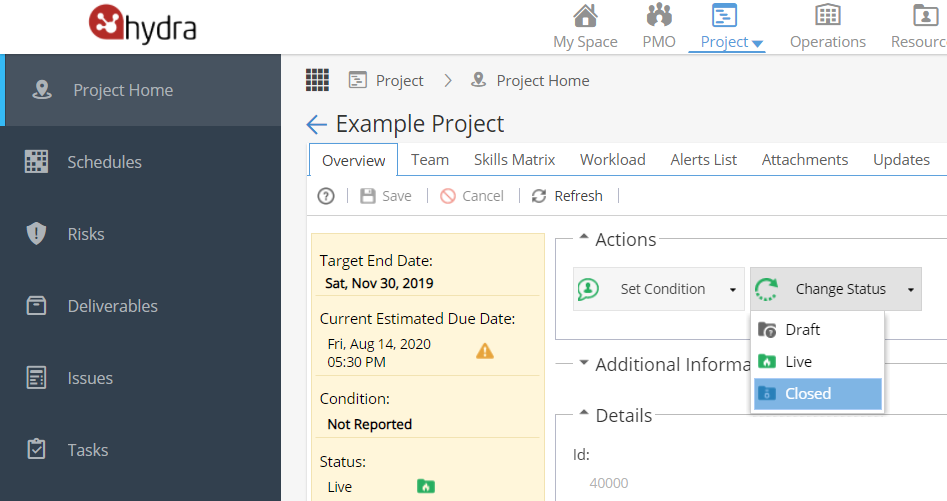
When this is clicked a pop up will appear: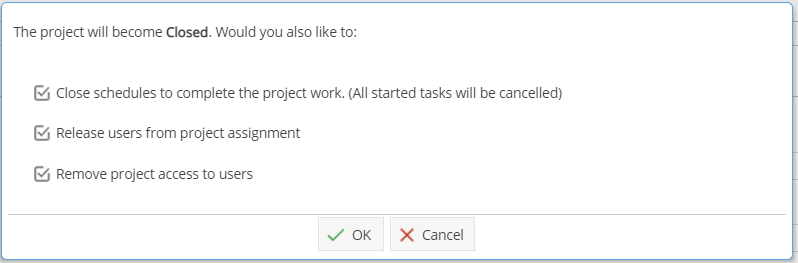
Typically all options will be left checked.
Click OK to confirm you want to Close the project.
Go to Project > Project Home > Overview tab
Click on the Change Status button and select Closed:
When this is clicked a pop up will appear:
Typically all options will be left checked.
Click OK to confirm you want to Close the project.