A Project always needs to have a Project Manager, you can update the PM if this changes.
This can be done from PMO > Projects > Projects List
or via Project > Project Home > Overview
Double click on a Project.
Scroll down to the Details section.
Double click on the Project Manager box.
Select a new PM, click Save to keep the changes.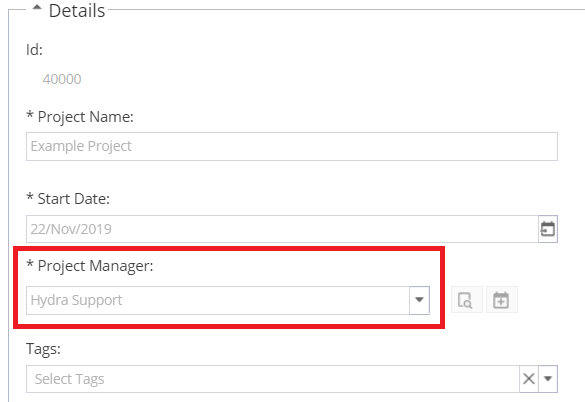
The old PM will continue to show as part of the Project Team.
The project will still show in the My Projects widget on My Space, even though they are no longer the PM.
If you want to stop this showing, go to Project > Admin > Project Users and deactivate the user on this project
If the user needs to work on the project again you will need to reactivate the user.