Go to Project > Admin > Preferences
Check the Tracking Mode
For Projects using Timesheets, it should look like this: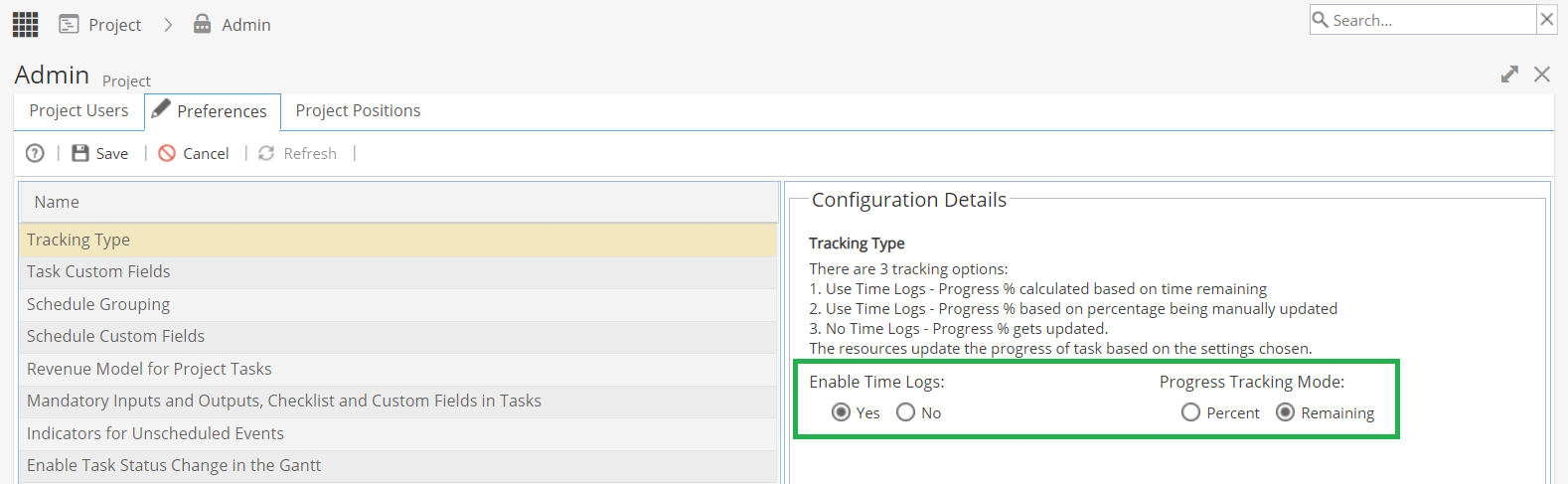
Once Time Logs have been enabled, remember to click Save.
Click the X on the top right (just below the search bar), open your project to show the changes and the Timesheets tab will now be visible.
If Resources are assigned to Tasks (for a live Project with published Schedules), they should now be able to see the Task to log time as normal but they may need to Refresh their screen.
Note: More information on setting the default Tracking Type can be found here.