What is a Milestone?
A Milestone is intended to act as a simple yes / no flag.
Using Milestones helps provide visibility of the status of a Project, marking specific points along the Project timeline.
It shows in the schedule as a zero effort (0 hr) / zero duration task.
How do I add a Milestone?
Milestones are added from Project > Schedule > Gantt
Right click on a Task / Activity or Deliverable (above where you want the Milestone to be) and click Add then Milestone
A Milestone with the green diamond will then appear in the row below.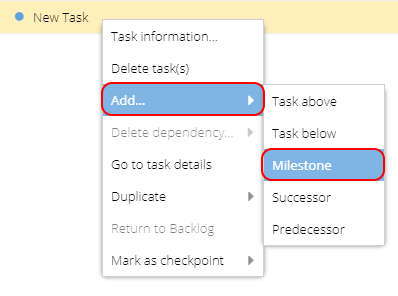
How do I know if a Task is a Milestone?
When viewing Task Details the yellow panel on the left will remind you if this Task is a Milestone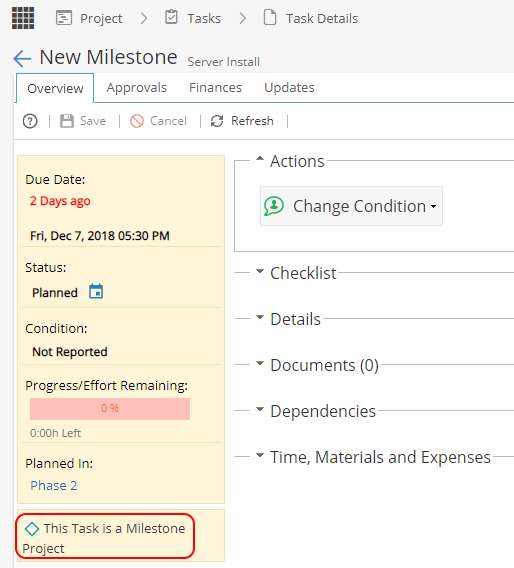
From the Gantt the Task will show with a green diamond icon  (instead of a blue spot)
Note: Watch out for other Tasks with 0 hr effort, as the Gantt will show a green diamond on the chart because there is no time or duration.
To be sure the item is a milestone, look for the green diamond to the left of the Task Name.
How do I complete a Milestone?
When a Resource is assigned to a Milestone they will have the option to Start the Task and then mark as Complete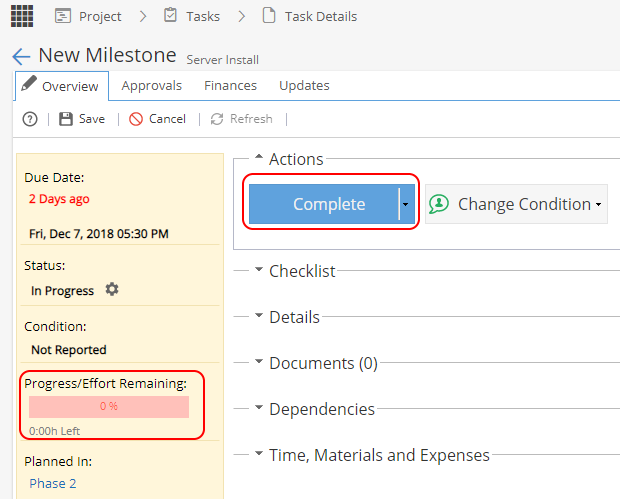
As this Task is zero effort you will not have the option to update the Progress %.
If you re-open a completed Milestone Task, the progress will reset to 0%.
The Milestone Task will appear on Timesheets but remember time can not be logged against this type of Task. You can click on Status to update the Milestone from Planned to Started and then again to update the Status to Complete.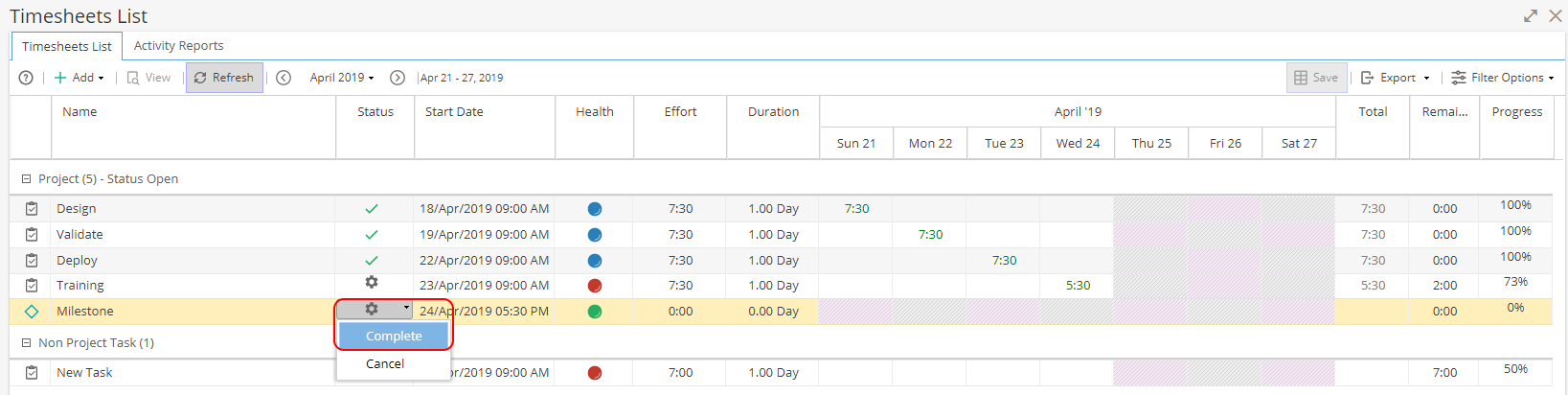
How do I remove a Milestone?
Right click on the Milestone Task and click Delete Task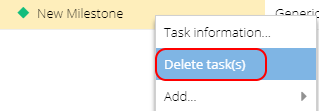
How do I track Milestones?
You can not get any warnings for Milestones. The best way to track Milestones would be to use the Milestones report widget or look for Tasks which are running late.
Are Milestones and Checkpoints the same?
No, you can read more about Checkpoints here.
Where can I see Milestones in Hydra?
Company Dashboard > Report Widgets > Milestones
Project Dashboard > Report Widgets > Milestones
PMO > Projects > Checkpoints
Project > Tasks > Task Details
Project > Tasks > Tasks List (Filter on Task Type)
My Space > My Assignments > My Tasks
Knowledge > Blueprint > Company Blueprint > Assets > Tasks > Overview tab