Looking at an individual resource
Resources > Planning > Scheduling
Enter the Users name on the top right hand to filter the view and look at different date ranges to see Projects allocated. 
Looking at a Project
Project > Project Home > Team tab
This will show when Resources have been assigned to the Project from the Resources > Planning > Scheduling menu
Remember to check the Display option on the top right if you need to include all users, as some assignments may have expired.
Project > Admin > Project Users tab
This view will show team members AND users who have been granted access to a Project.
Users may also show here if they were previously delegated to a task but this has since been updated.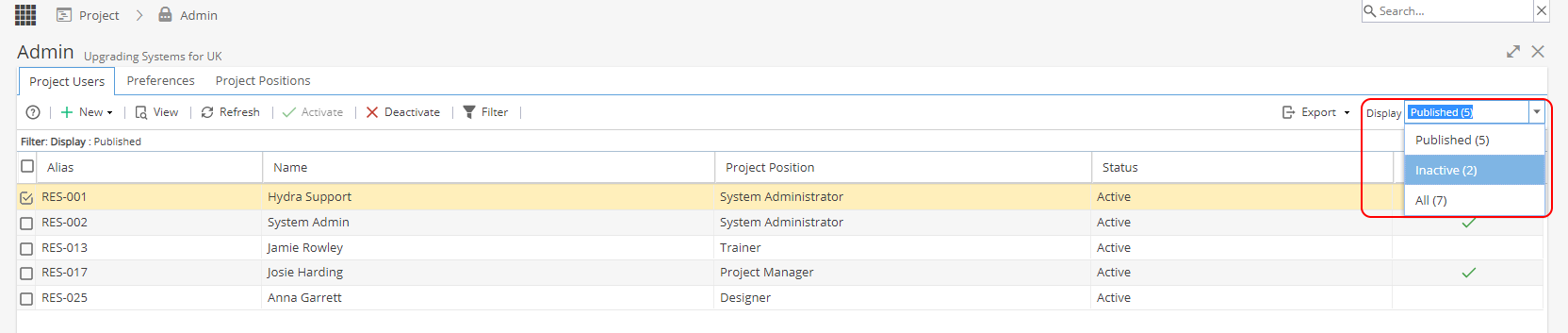
Remember to check the Display option on the top right if you need to include all users, as some Users may show as Inactive.
Viewing your own allocations to Projects
The easiest way to do this is via My Space > Overview > My Projects widget.
Use the Display filter on the top right to change the view (Draft, Live, Closed or All)