In Hydra, time not related to a project but still needs to be managed is a type of Admin Time
(This includes time off such as annual leave, sick leave, jury duty, training, meetings etc).
The options available for your company are defined under
Admin > Company Preferences > Time Types - Administrative.
How do I log admin time to my timesheet?
You can log time for the past / current date via your own Timesheet.
Click on + Add and select the Administrative Radio button.
Use the drop down option to select one / multiple admin times to add to your time sheet.
Click OK.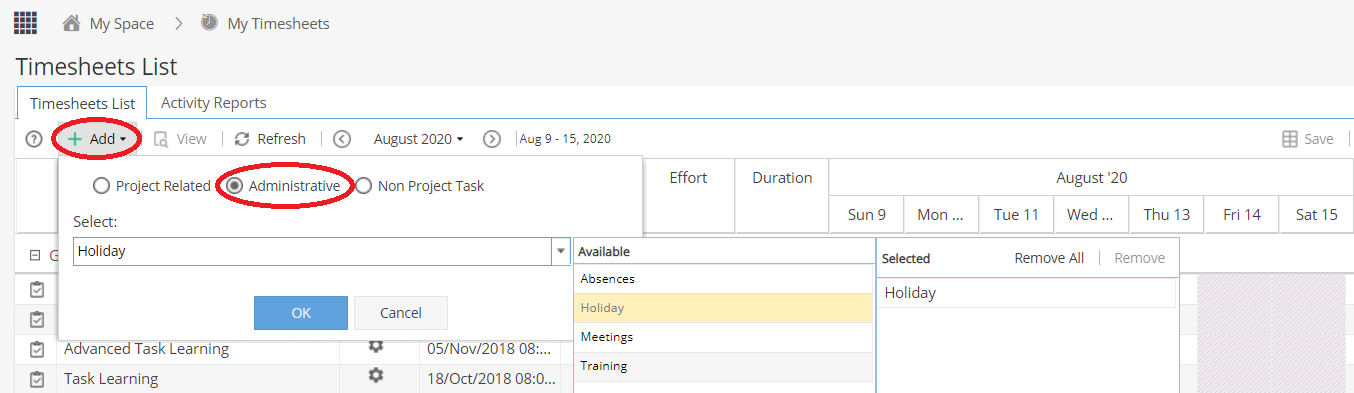
Additional row(s) will now be shown along the top of your timesheet so time can be logged.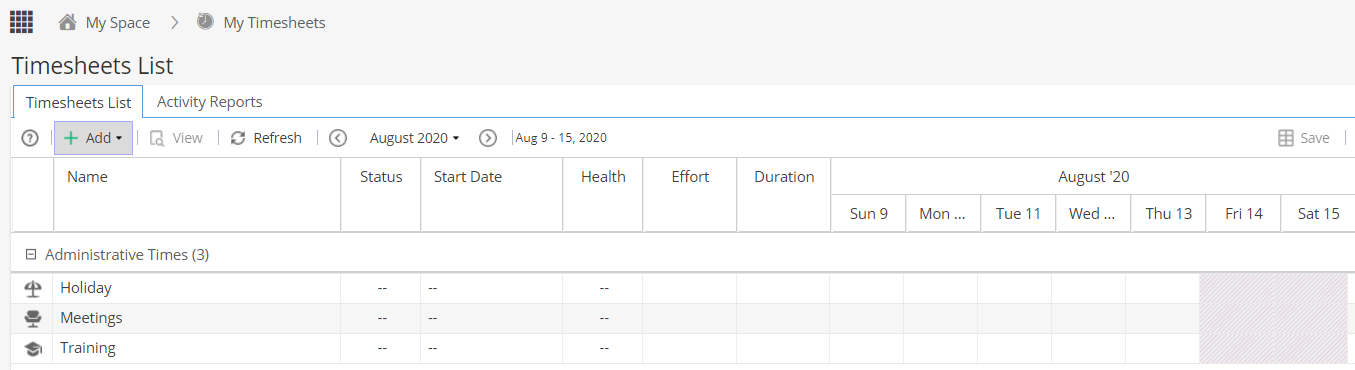
Note: Future dates will be greyed out as Timesheets do not allow you to add time for future dates.
How do I block out admin time booked for the future?
To add admin time entries manually for future dates you need to have access to the Resources > Planning menu,
so you may find only your manager is able to do this.
Workload tab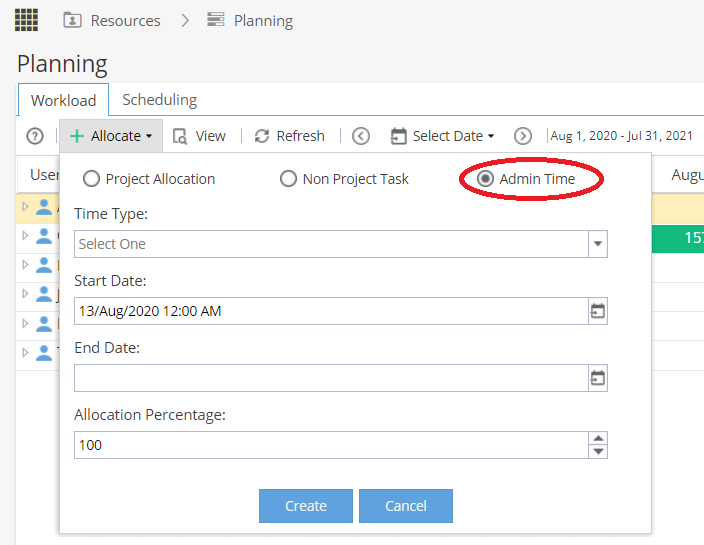
Scheduling tab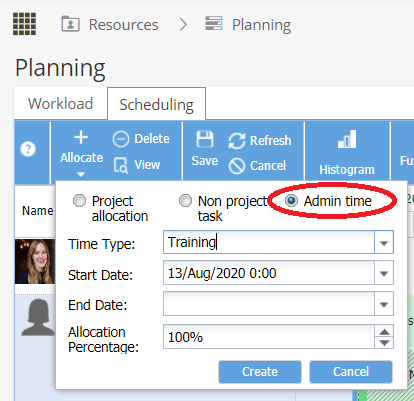
Note: Some companies have an integration set up with their internal system so Hydra can be updated with time off entries automatically.