Users are typically added from Resources > Planning.
| From the Workload tab |
Find the name of a user click on + Allocate and select the Project.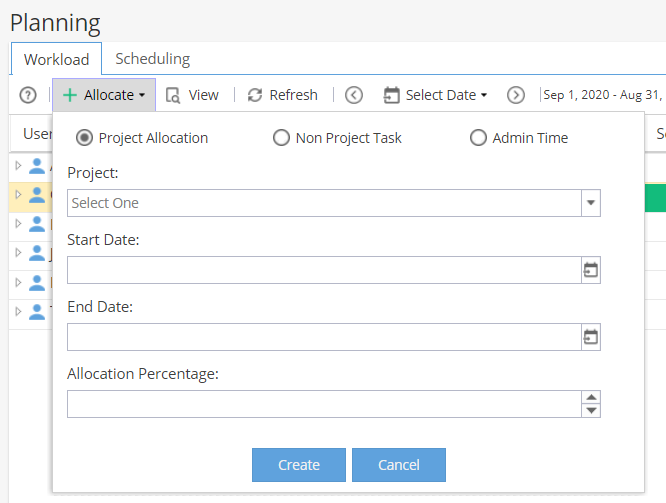 |
| From the Scheduling tab |
Find the name of a user click on + Allocate and select the Project.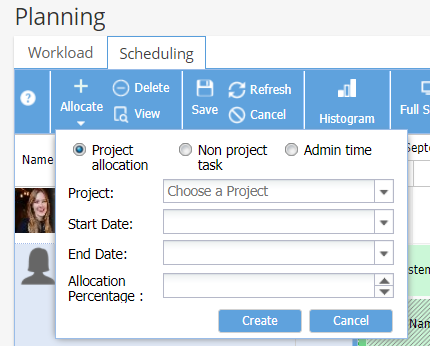 |
| From the Access to Project tab |
Find the name of a user click on + New and select the Project.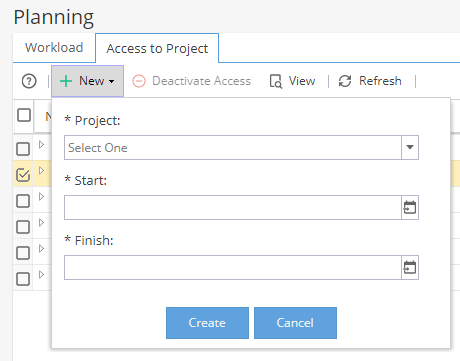 |
| From the Team tab |
Only for External Users with a profile based on Standard Access External. Click + Add, then Existing External User 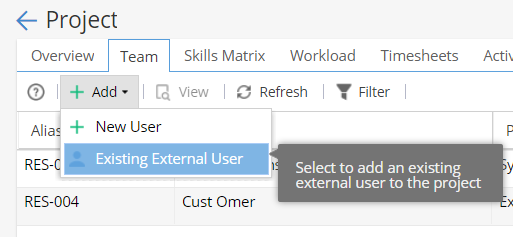 Select a user from the drop down list and click OK. |
| From the Project Users tab |
Only for External Users with a profile based on Stakeholder / Restricted Access. Click + New and 'Restricted Access to Existing User'. Type the User's name to find them in the list and click OK. 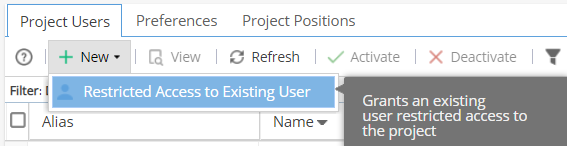 Remember this type of user has limited visibility and can not be assigned to work on Project Tasks. |
Note: This article covers the most common ways to add a Resource/User to a Project.
Should you need further guidance, contact the Hydra Support team.