Use the Resources > Planning > Workload screen.
Set the options to show Allocation and choose Daily: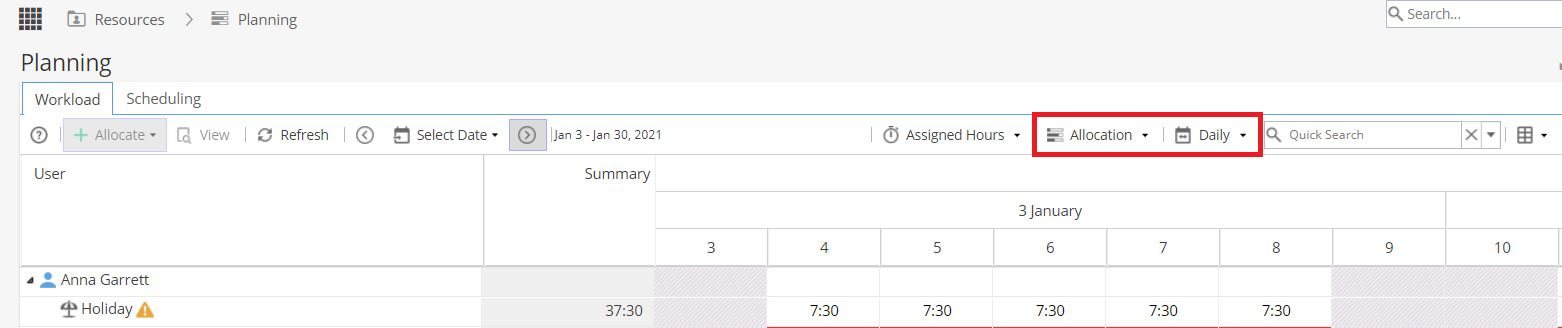
Note: The yellow warning triangle shows a message when you hover over it to explain that Admin Time (such as annual leave) is not be included when calculating the workload for the resource.
In the Workload view you also have the option to filter on the top right: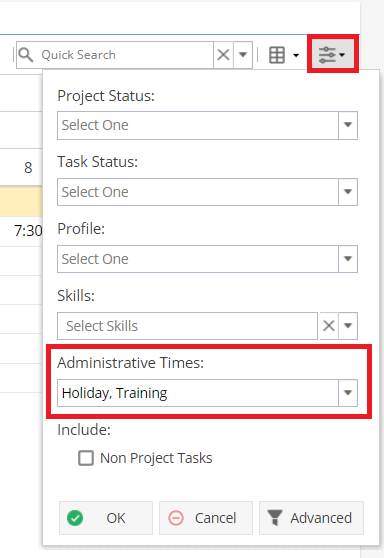
Note: As the admin times are not included in the workload totals you need to expand a resource to view the details.
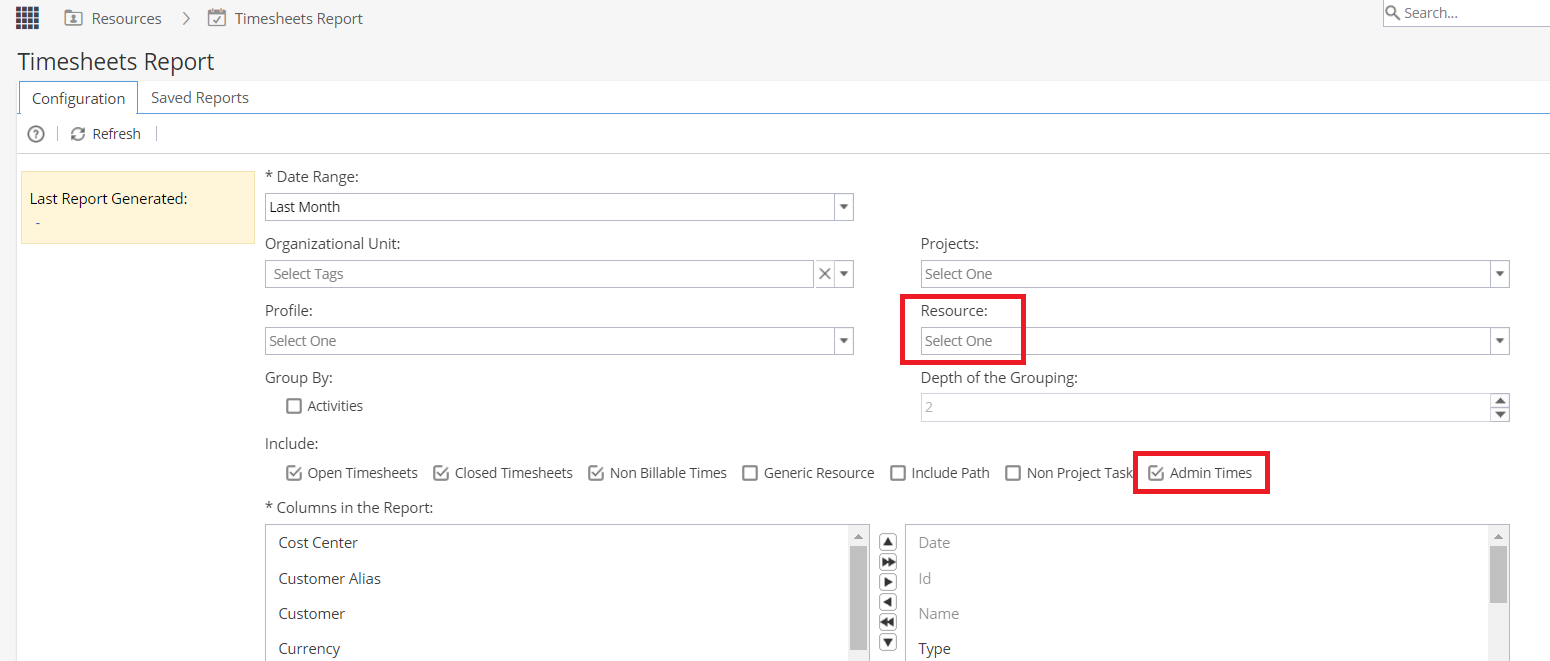
Alternatively you can use the Resources > Timesheet Reports > Configuration screen.
You can set the date range, select one or multiple resources but you must tick the box to include Admin Time in the report.