Note: This option will only be available when Admin > Configuration > Company Preferences > Enable Task Delegation is set to Yes.
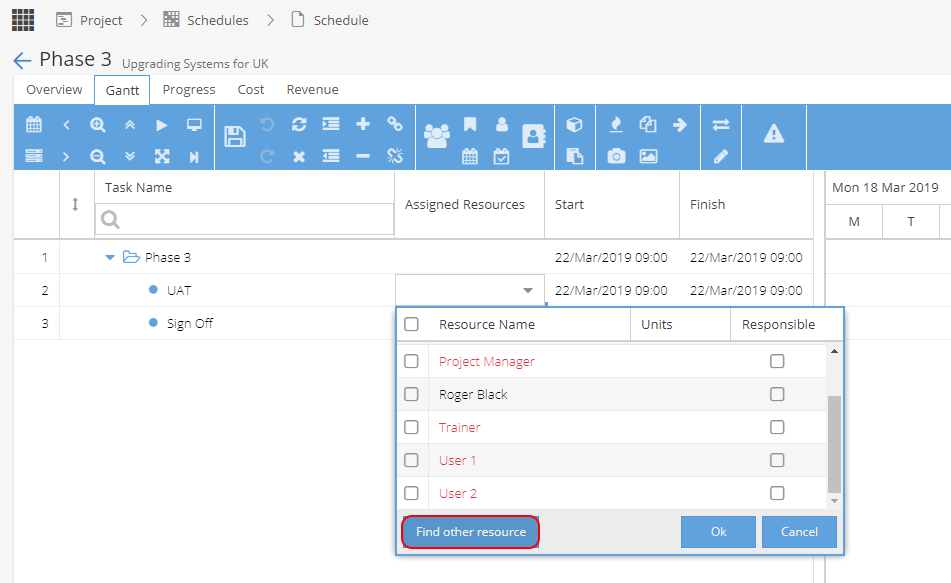
From your Gantt view, double click on an Assigned Resource, then click Find other resource:
This will take you to a screen to search for Resources available to complete your Task: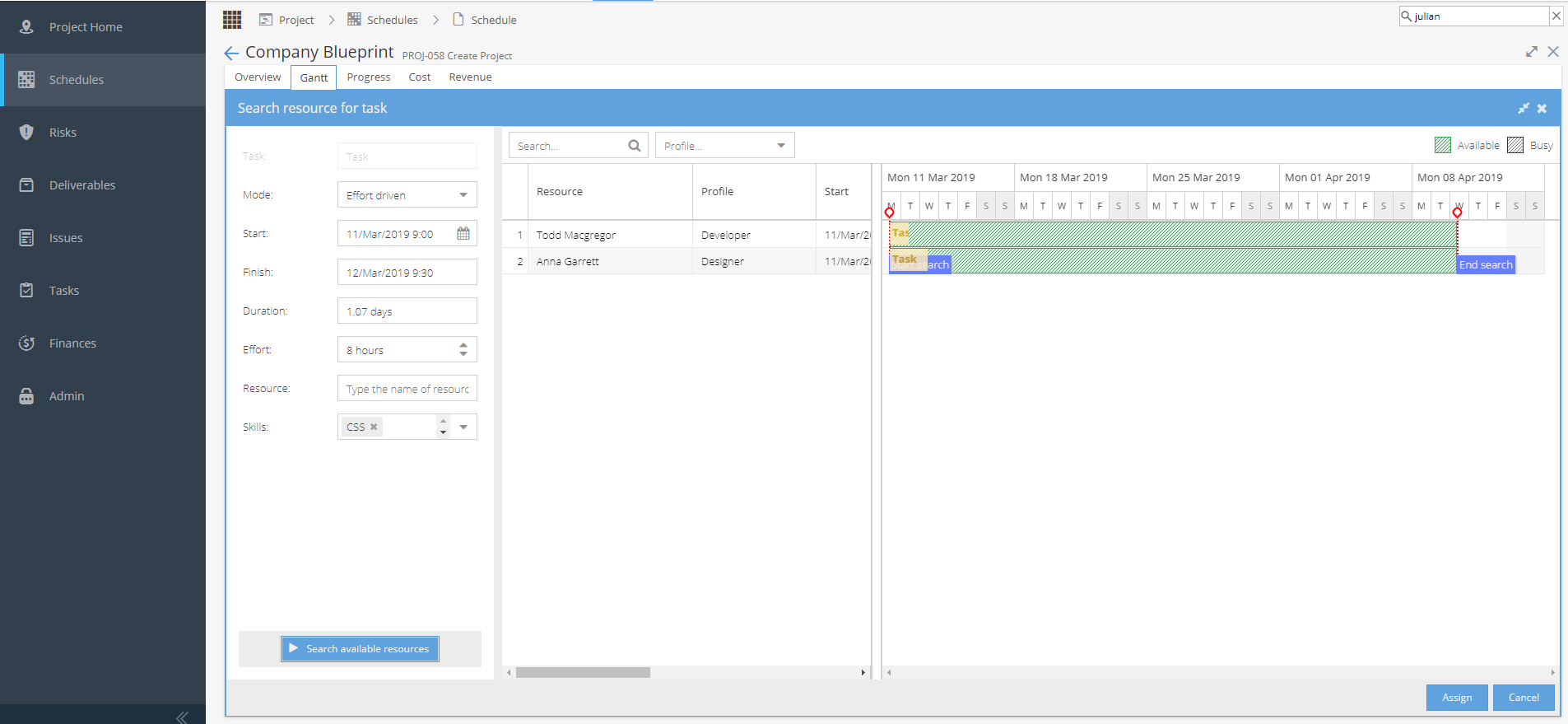
On the left hand side some information will be auto-populated based on the Task details but this can be adjusted.
You can search for the name of a specific user (or leave blank)
If Skills have been enabled you can add / remove as required.
Then click Search available resources on the bottom left
Any matches will then appear in the middle panel.
From here you can filter by name or profile
If you find a match you want to use, click on the Resource name (the row will highlight yellow) then click Assign on the bottom right.
To go back to the Gantt view instead, click Cancel.