There are two types of Time Types: Admin and Project.
Admin time types
Admin time types are used to help show the actual availability for your resources, for example to log Sickness or Annual Leave.
Admin time types are configured for the company via Admin > Configuration > Company Preferences.
Under Time Types - Administrative.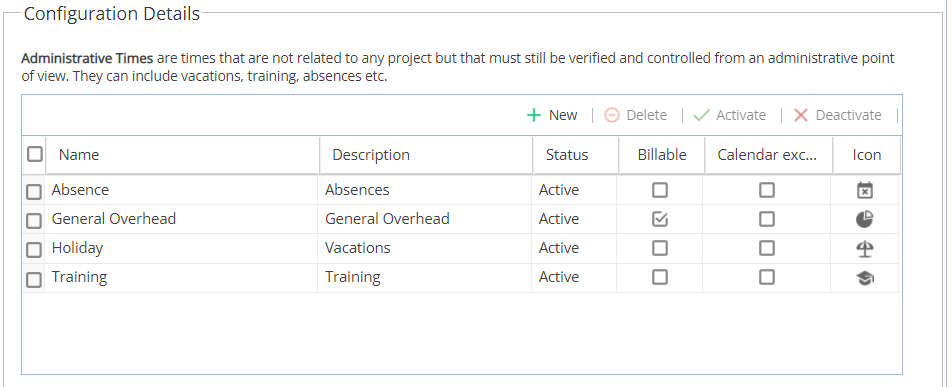
Then when you are in the Resources > Planning menus, you can block time out for resources under one of these admin time categories, e.g. Holiday.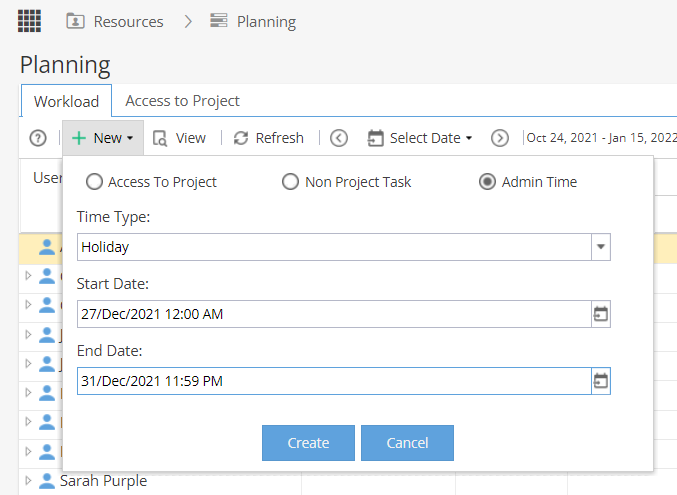
Note: Resources can log Admin Time on their timesheets but only for the current day or in the past. A user with access to the resources menu (or integration with another system) will typically update admin time such as annual leave scheduled for future dates.
Project Time Types
Project Time Types are used to log time against a project (either for a planned task or unscheduled event), the time types will set the rate being applied. For example, you could have different cost and rates used for Standard, Non-Billable and Overtime options.
If a project has multiple options, users will need to enter the hours against one of the time types for the correct costs and rates to be applied:
If a project only has the Standard time type available, users will not be asked to select a time type, they will just log their hours.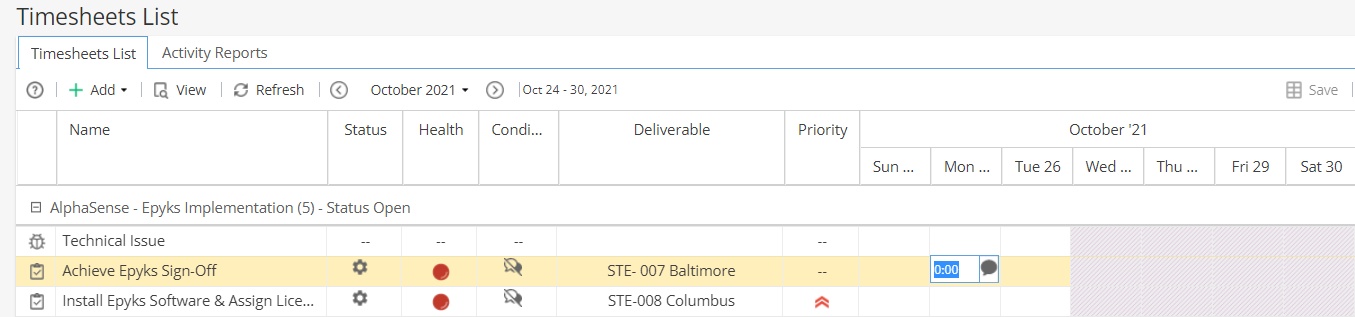
Project time types are configured for the company via Admin > Configuration > Company Preferences.
Under Time Types - Project Related.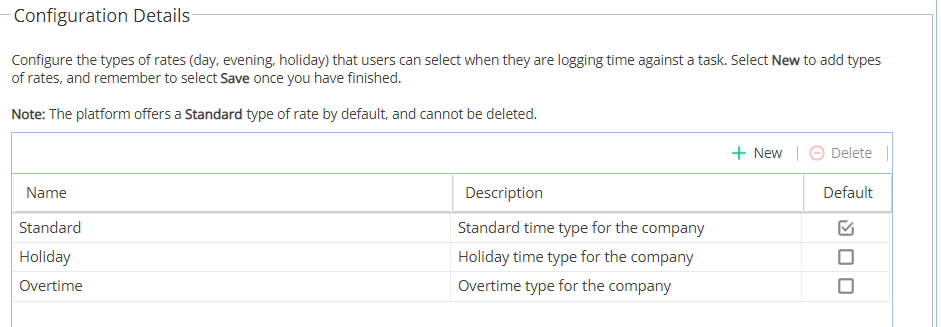
Under Project > Finances > Resources Sheet, each resource can have costs and rates set for each project time type:
Note: If you have any questions about time types not answered by this help article, contact the support team and we can take a look at your configuration to advise further.