Issues are problems which have already happened and may need to be logged against your Project.
In Hydra Issues show as a different type of Deliverable, they rely on having a Process (Task) for a user to complete.
Best Practice for Blueprint Setup:
Make sure your Blueprint is set up correctly to allow users to complete Issues.
You shouldn't have any Issues before a Project begins but the Blueprint should have a process to handle an Issue if one gets created.
Under Knowledge > Blueprint > Assets > Tasks
Create a Task for Issue Resolution (or a Name that best suits your Company)
Under Knowledge > Blueprint > Assets > Deliverables select Issue and click on Process from the tabs on the right hand side
Click the green + on the far right of Issue
Add the Task you created for resolving issues.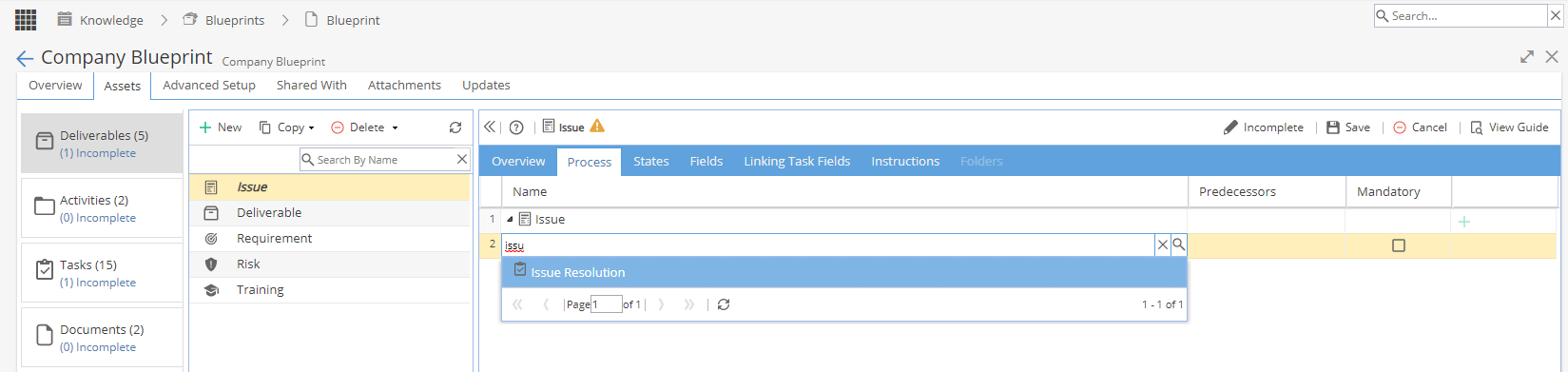
Remember to click Save and Complete on the top right
Clicking on the States tab allows you configure the status which will show, example below:
You must make sure the Deliverable for Issues is not showing as Incomplete or Issues can not be logged.
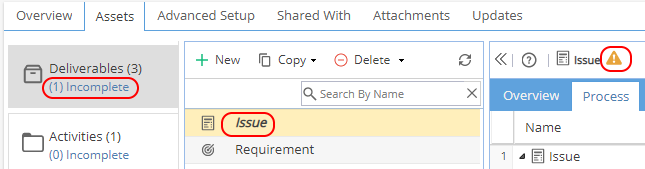
Adding an Issue:
If you have checked that the Blueprint is set up correctly you can then add Issues to your Project.
Project > Schedules > Schedule > Gantt tab
Click the box icon to get the Deliverable Manager Panel
Click + Create and then Issue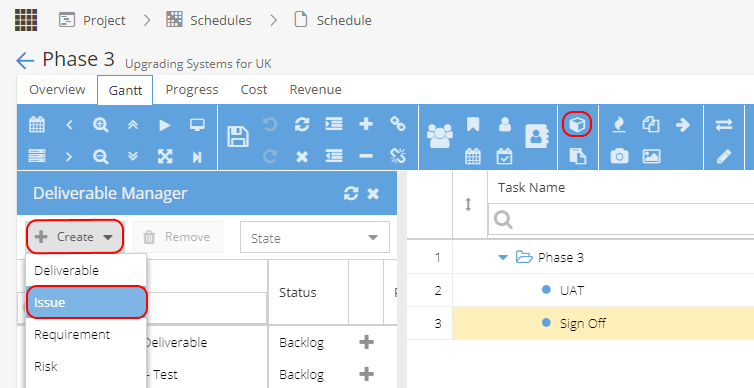
You can change the name of the Issue (but you should see a Task linked)
When you plan the Issue, you can then assign the Task to a Resource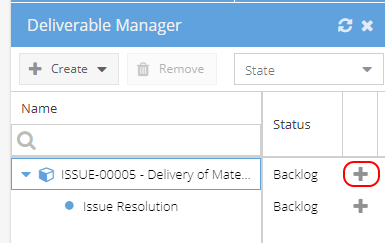
Resolving the Issue:
If set up as above, the assigned Resource completes the Task.
Once completed or updated the Issue linked to the Task will update too.
The Task will allow the Progress to be updated and will remind you which Issue this relates to.
Status of Issues:
From Project > Issues > Issues List
You will only see Status if States were configured in the Blueprint
If States were not configured you can view the Issue (Project > Issues > Issue > Process tab)
The Process tab Status will show you if In Backlog / Planned / In Progress / Closed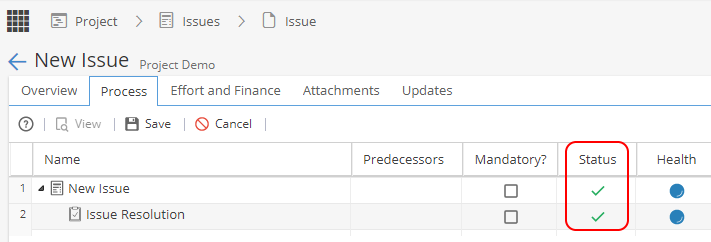
Keeping Track of Issues:
Project > Issues > Issues List
Reports > Project Dashboards > Deliverables and Issues Widget or Tabular View Widget
Reports > Company Dashboards > Tabular View Widget