What is a Baseline?
A Baseline represents the starting point for costs and schedules approved at the beginning of a Project. A Baseline is used as a basis for monitoring and evaluating performance.
How do I create a Baseline?
When you are in PMO > Projects > Project Details
Changing the status of a Project from Draft to Live will trigger a pop up box
This box will ask you if you want to create a baseline: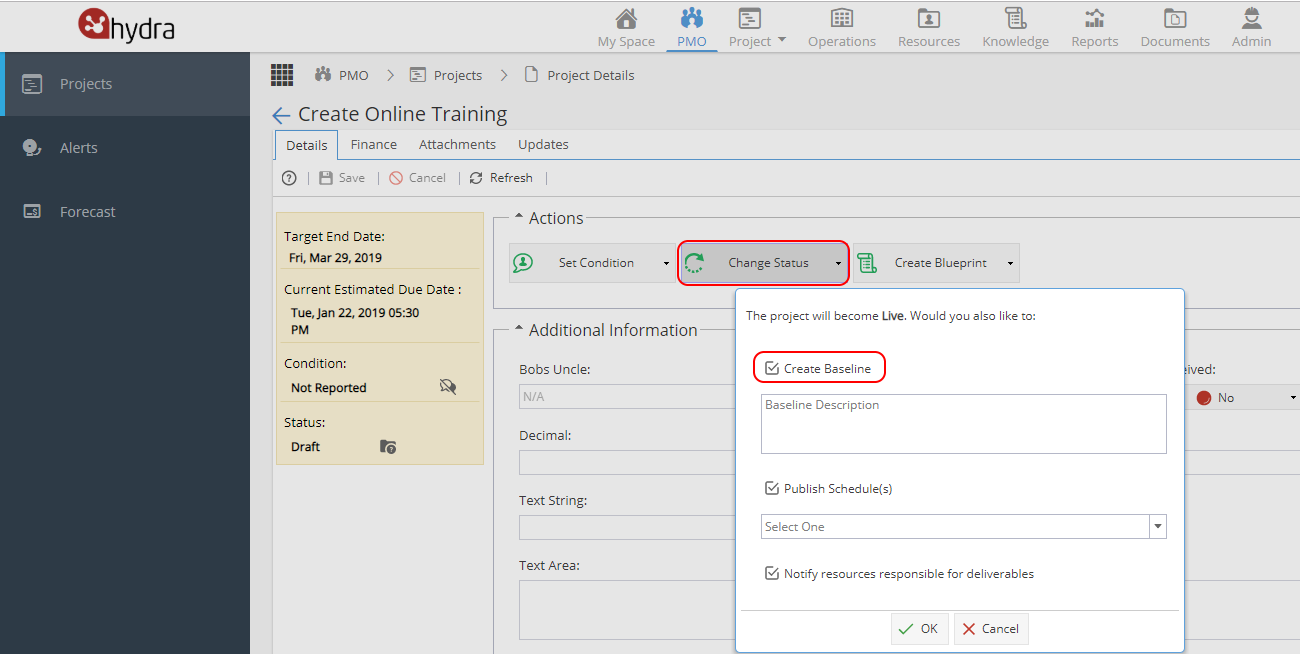
How can I update / replace a Baseline?
From Project > Schedules > Schedule tab
You can either create a new/additional Baseline or choose to update an existing Baseline: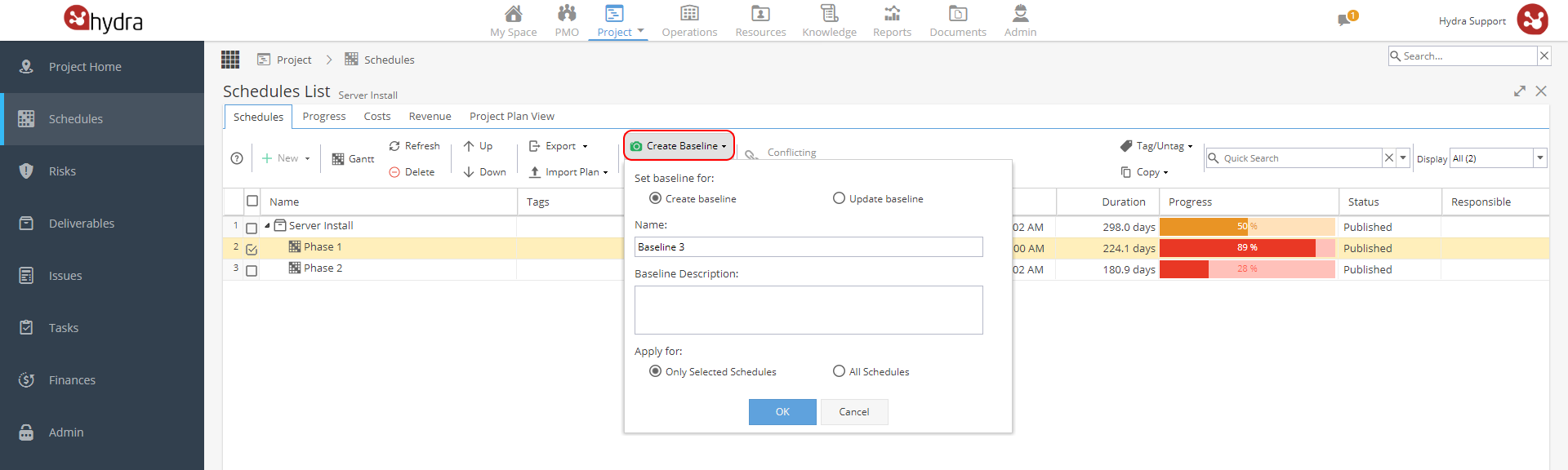
The View Baselines option gives you a list of Baselines, showing Name, Last Updated Date, Description and the option to delete it.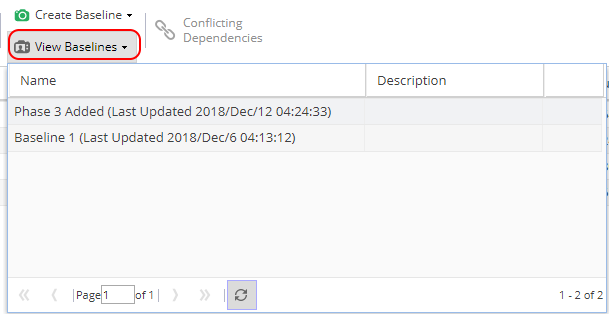
You can also set / update a Baseline from Project > Schedules > Gantt using the camera icon.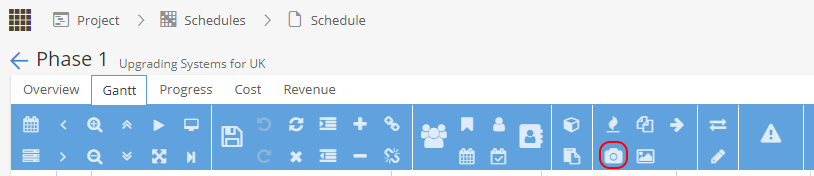
This will give you a pop up window. The first radio button allows you to choose between Creating a New Baseline or Updating an Existing Baseline.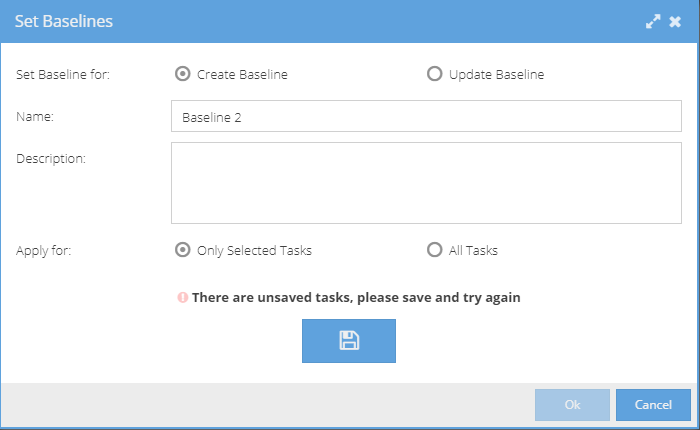
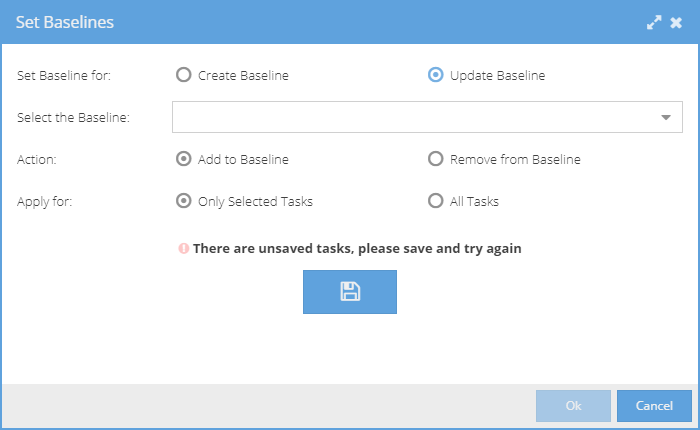
From the Gantt view you can also look at Baselines using the photo icon: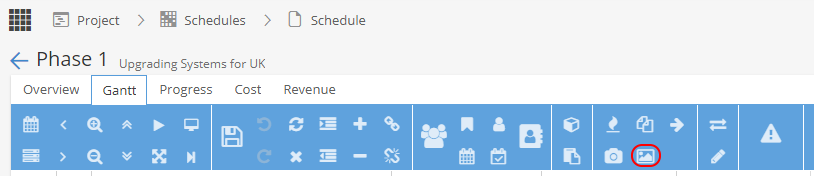
This will give you a list of Baselines.
Hover your mouse over the clock with an arrow to see the date created.
Old Baselines can be removed using the red icon.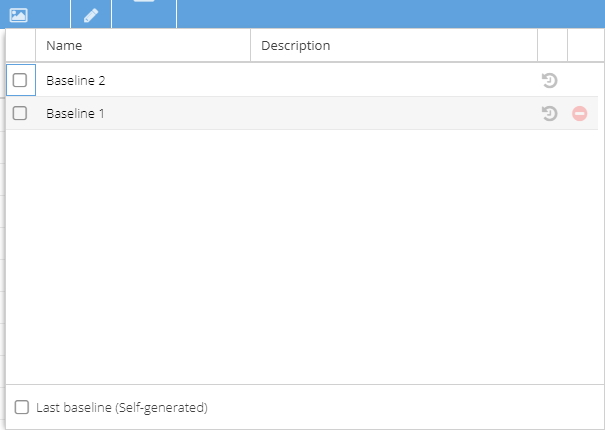
When a Baseline is selected the Gantt view will have columns showing the baseline start / end dates for Tasks.
Where can I use Baselines?
Some of the Report Widgets will give you the option to select a Baseline, e.g. Project Progress (Project Dashboard)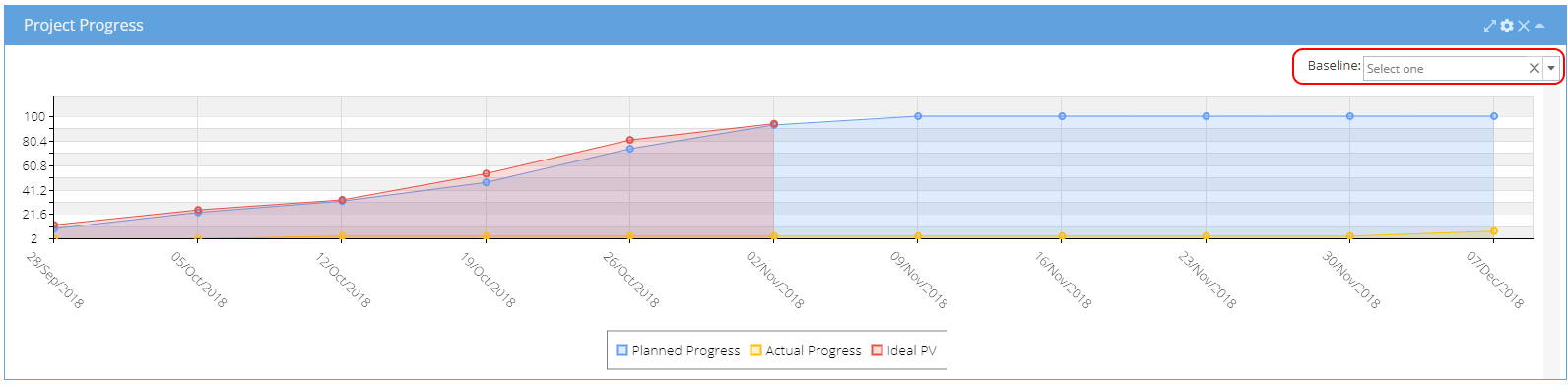
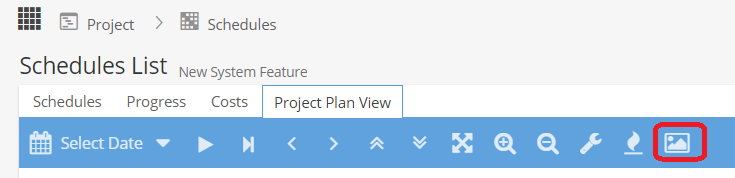
In the Project Plan View, you can use the Picture icon to select different baselines.