From the Project > Schedules > Gantt
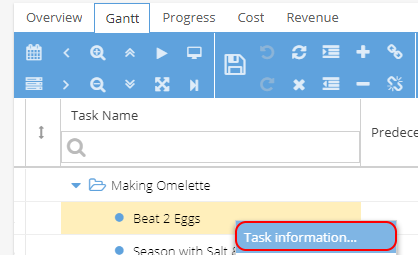
Find the Task you need to add a constraint to
Right Click and select Task Information:
From the Task Information window, select the Advanced tab
Here you can add a Constraint Type and Constraint Date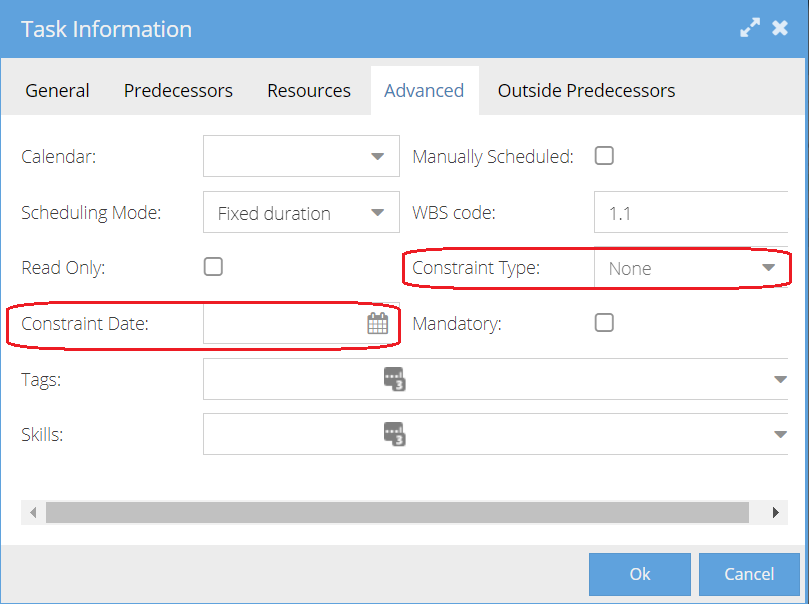
The Constraint Type drop down options: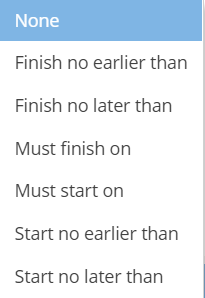
Constraints can also be added via the Gantt.
To do this, you will need to add the Constraints and Constraint Date column to your view.
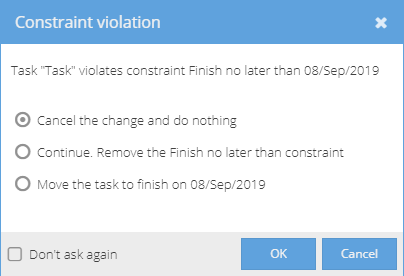
When a constraint violation occurs, you will see a pop up in the Gantt with options on how to resolve: