The Costs tab in the PMO Section shows you a high level view of the costs of your Portfolio of Projects.
In this view the available columns are:
| Column | Formula | Additional Information | |
|
Alias |
N/A | The Project Alias | |
| Name | N/A | The Project Name | |
|
BAC |
Budget At Completion |
 BAC BAC |
The sum of all estimated costs of all tasks within the Project. 'Estimated cost' is the hourly cost of the Resource multiplied by the estimated number of hours to complete the task. |
|
PV |
Planned Value |
BAC X Planned Progress | - |
|
EV |
Earned Value | BAC X Actual Progress | - |
|
AC |
Actual Cost |
hours logged against the Project to date x hourly cost per Resource. |
'Hourly cost per Resource' is set on a per-project basis in |
|
EAC |
Estimate At Completion | AC + ETC | - |
|
ETC |
Estimate To Completion | (BAC - EV) / CPI | - |
|
SPI |
Schedule Performance Indicator |
EV ÷ PV | The efficiency of time spent on the Project. If the PV is equal to zero, the cell is shown with "-" 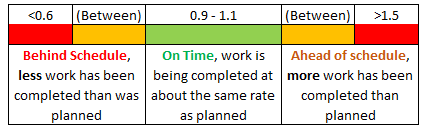 |
|
CPI |
Cost Performance Indicator |
EV ÷ AC | The efficiency of Resource utilisation of the Project. If the AC is equal to zero, the cell is shown with "-" 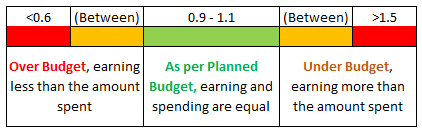 |
Project > Task Details > Finances
Costs for a Task are typically based on Time & Materials.
Remember it is possible to set Tasks as No Cost or Fixed Cost.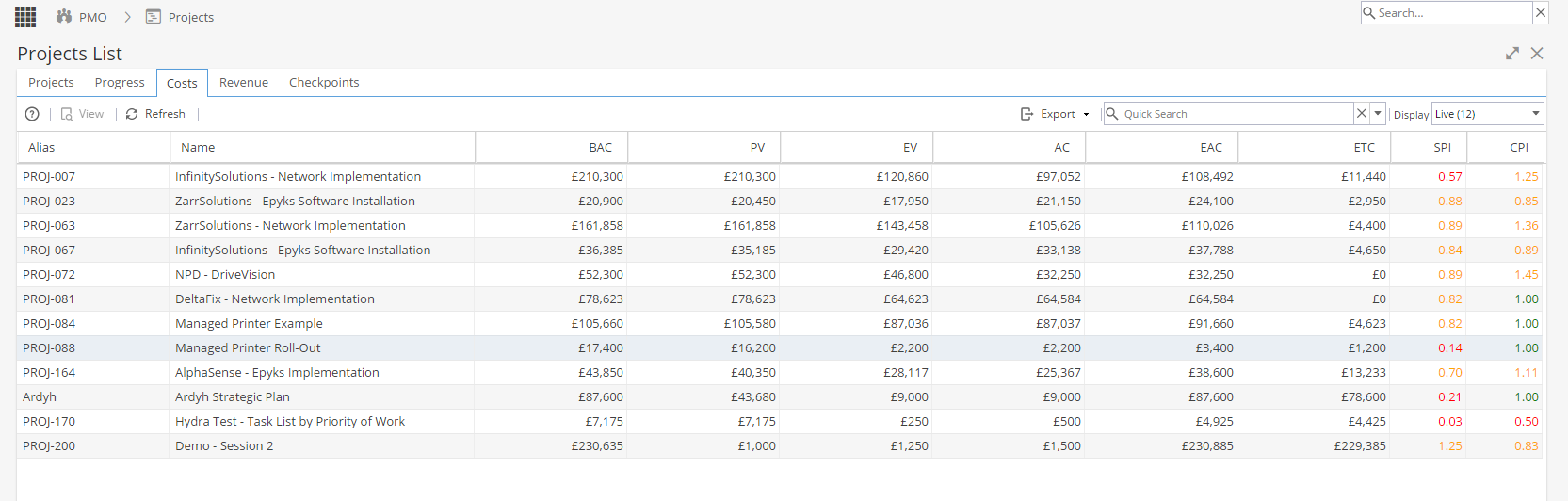
There are also a few things you can do with this view:
Selecting a Project and clicking view will show you the Details for that project, including any Custom Fields that are set up.
Export allows you to export the List of projects to various file formats, to do so click export and select which file format from the drop-down menu that appears. The file will then download to your local computer automatically.
Quick Search allows you to search for specific Project(s).
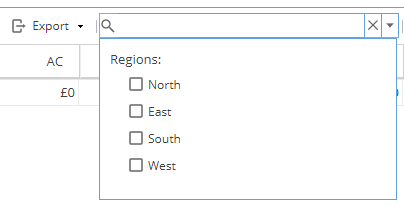
The down arrow button next to the search allows you to Filter the list of Projects using any Company Tags you have set up. (Company Tags are configured under Admin > Configuration > Company Preferences > Tags Management)
Finally the Display menu allows you to filter the list based on the Project Status (Live, Draft. Closed, or All)