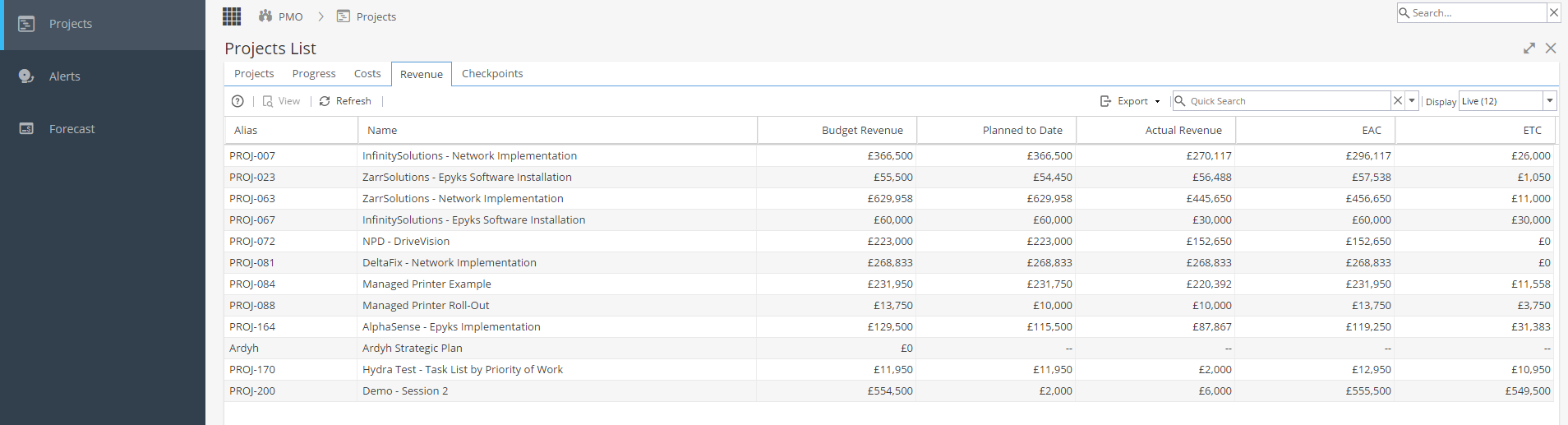
The Revenue tab in the PMO Section shows you a high level view of the Revenue of your Portfolio of Projects.
The columns in this view are:
- Alias (Of the Project)
- Name (Of the Project)
- Budget Revenue - This is the total amount based on the Revenue that has been scheduled in the project
- Planned to Date - How much of the Budget Revenue should have been completed (invoiced) at this time
- Actual Revenue - How much has actually been completed at this time
- EAC - What will the total amount of Revenue be at the point of completion (estimate)
- ETC - How much more Revenue is required to achieve completion (estimated)
There are also a few things you can do with this view.
Selecting a Project and clicking view will show you the PMO Details for that project, including any Custom Field information that is set up.
Export allows you to export the list of projects to various file formats, to do so click export and select which file format from the drop-down menu that appears. The file will then download to your local computer automatically.
Quick Search allows you to search for specific Project(s).
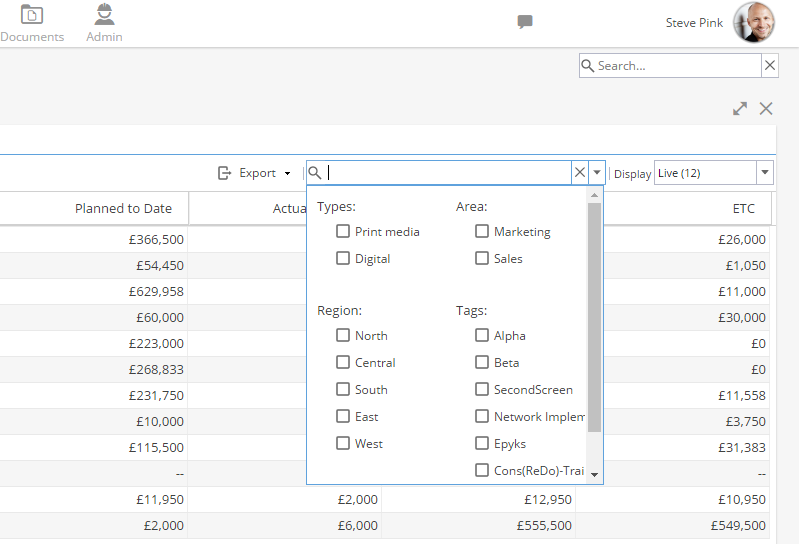
The down arrow button next to the search allows you to Filter the list of Projects using the Company Tags (link to tags) you have set up.