The Replace Resources screen lets you replace a resource from tasks within your schedule.
First select the tasks that you want to replace the resource on. With these selected open the Replace Resources screen.
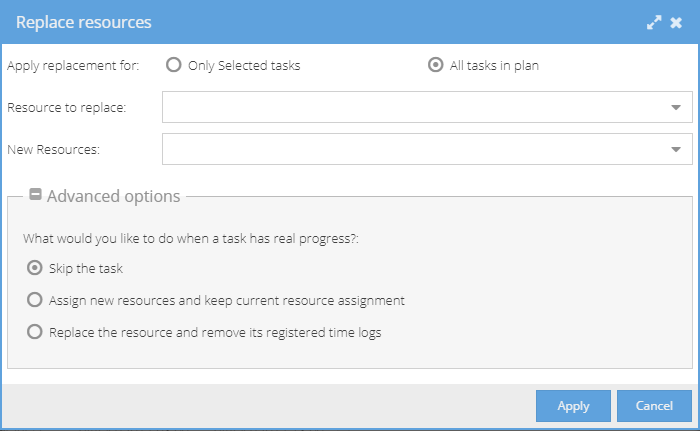
You can choose to replace the resource on Only Selected tasks or All tasks in plan.
With multiple tasks selected you may have more than a single resource. Use the Resource to replace drop down to select which resource you would like to replace.
New Resources is a drop down list with the resource available for the schedule. Select which resource you would like to replace with.
By default, any task that has registered time against it will be skipped. This can be changed in the Advanced options:
Skip the task - Any selected task with registered time will be not be included in the replace.
Assign new resources and keep current resource assignment - This option keeps the current resource (and associated time) and adds the New Resources as additional resource.
Replace the resource and remove its registered time logs - Removes the old resource and their time logs, and adds the New resources.