If you try to change a resource's profile type and see this error:
"The max number of users for the selected license type has been reached. Please contact the system administrator."
The system administrator can check the number of free licences by going to:
Admin > Configuration > Overview
At the bottom of this screen there is a section showing available licences.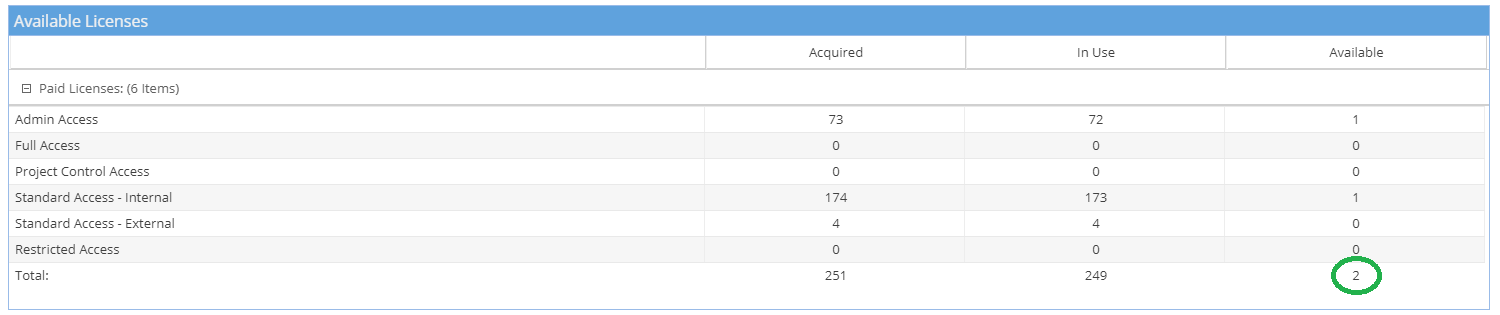
If no licenses are available, you need to review your resources to check all active accounts are in use.
If you have users that have left the business or are no longer using Hydra, check if these accounts could be deactivated.
If all licenses are in use and additional licenses are needed, contact the Hydra Support team.
If you have free licenses available but they need to be allocated to a different profile type, contact the Hydra Support team and we will update this for you.