1) Go to Project > Finances > Resources Sheet
Click + New and add a Credit Note
You can edit the name and then click Save.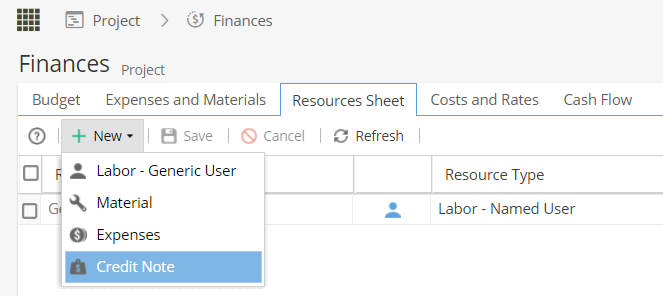
2) Go to Project > Finances > Expenses and Materials tab
Click + Add Expenses and Materials
Select the Credit Note from the list and click OK.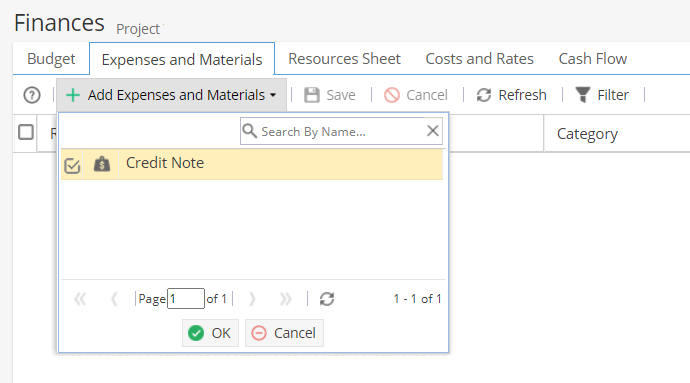
Additional information can be added to the Description.
Update the Actual Value and the Actual Date.
Scroll along to the right and select if this credit affects the Cost / Revenue.
Click Save.
Example
Agreed for a client to have a reduction of £50.
The credit note could be entered as -£50 to be applied against the revenue: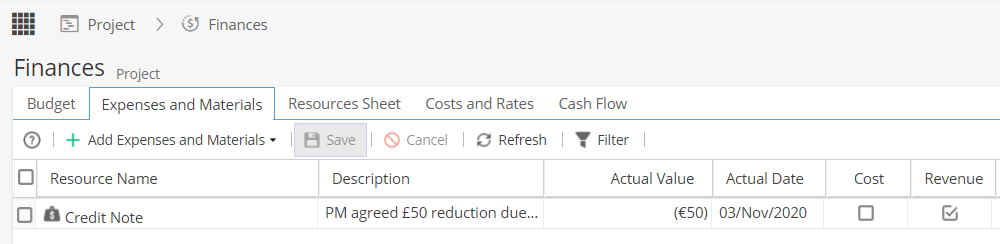
Note: The negative figure will show in brackets as (£50)
In this case, only the revenue is reduced as giving the client money off does not reduce the costs.
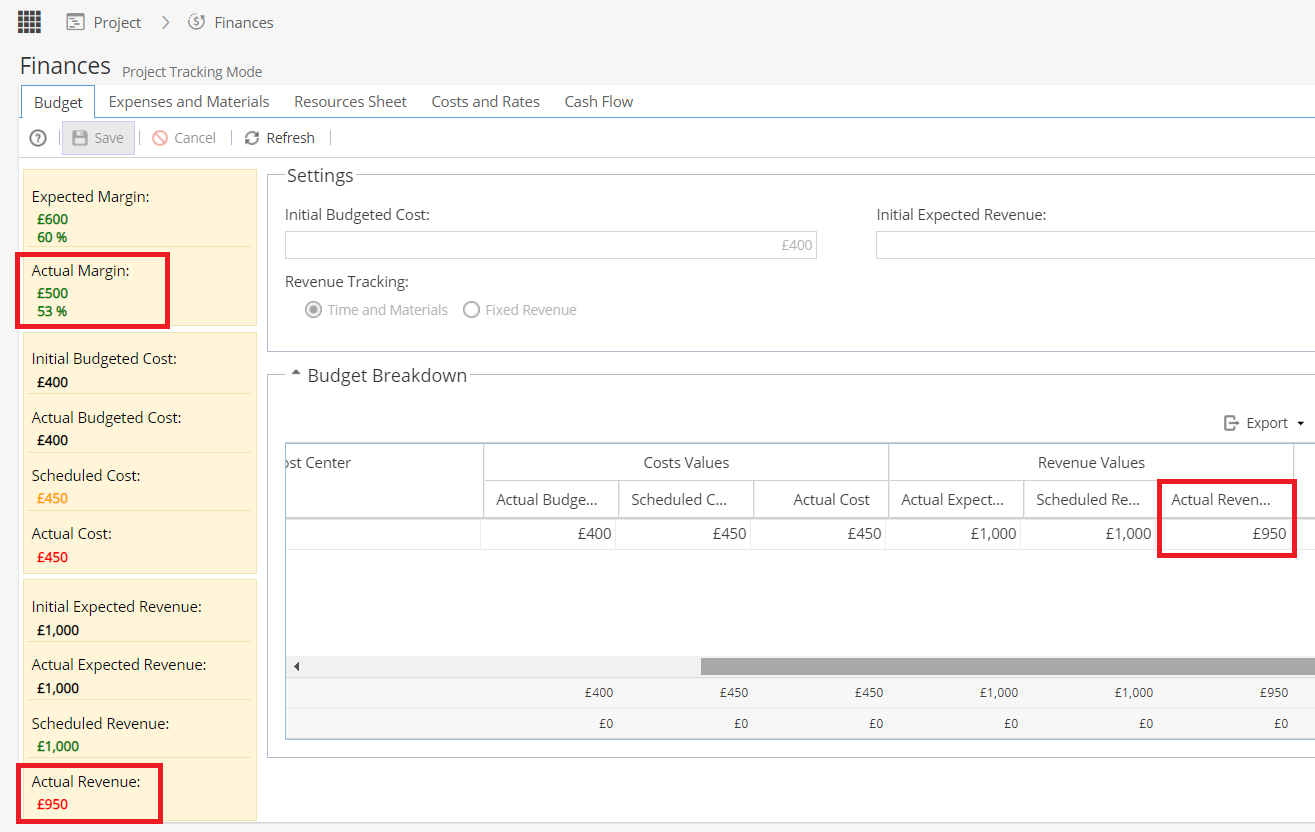
On the Budget tab, you will see the £50 adjustment affects the Actual Revenue and Actual Margins: