From Project > Schedules > Schedules List
Once a Schedule has been selected you will be able to use the Export button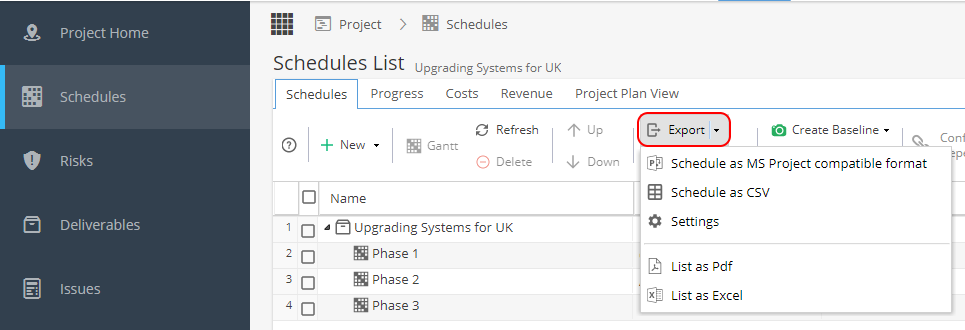
The export options are:
- Schedule as MS Project compatible
- Schedule as CSV
- List as PDF
- List as Excel
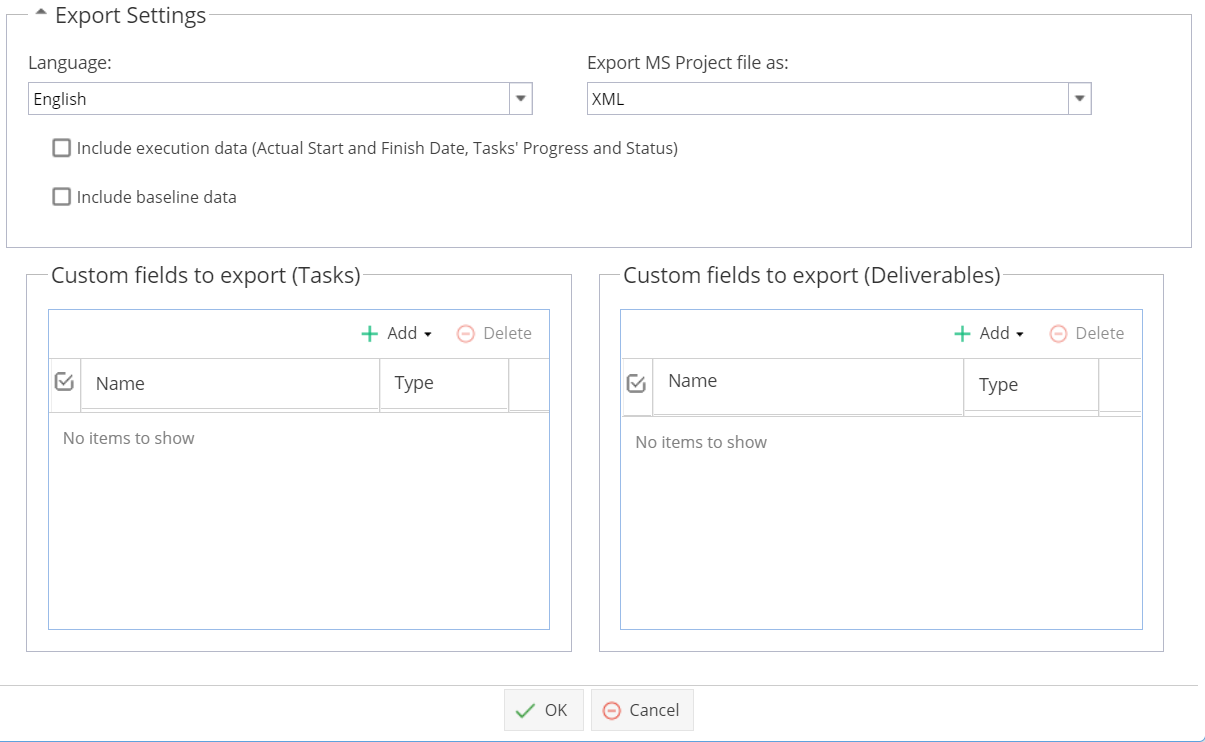
The settings option allows you to:
- Choose XML or MPX as the file type
- Include Dates, Task Progress % and Task Status
- Include Baseline data
- Include Task or Deliverable Custom Fields
Note: If you update the Settings, you need to click OK and then create another CSV/XML export to see this data included.