There are several ways you can use Microsoft Project with Hydra:
- Creating a new Project
- Importing a Plan into a Project Schedule
- Exporting the Plan into a MS Project compatible format
Creating a new Project:
From PMO > Projects > Projects List > + New
In the Advanced Setup section you will have the option to use a Microsoft Project File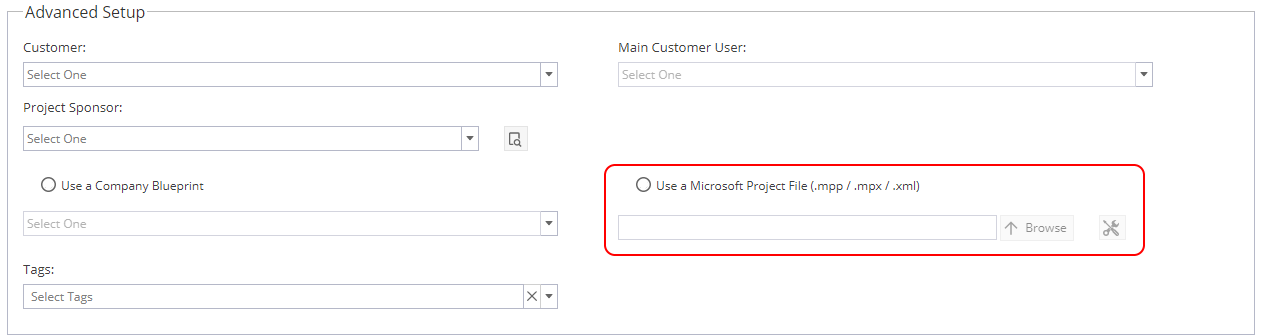
The Tools Icon on the right hand side of the Microsoft Project File allows you to set these options for uploading: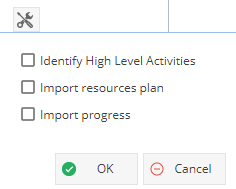
Importing a Plan into a Schedule:
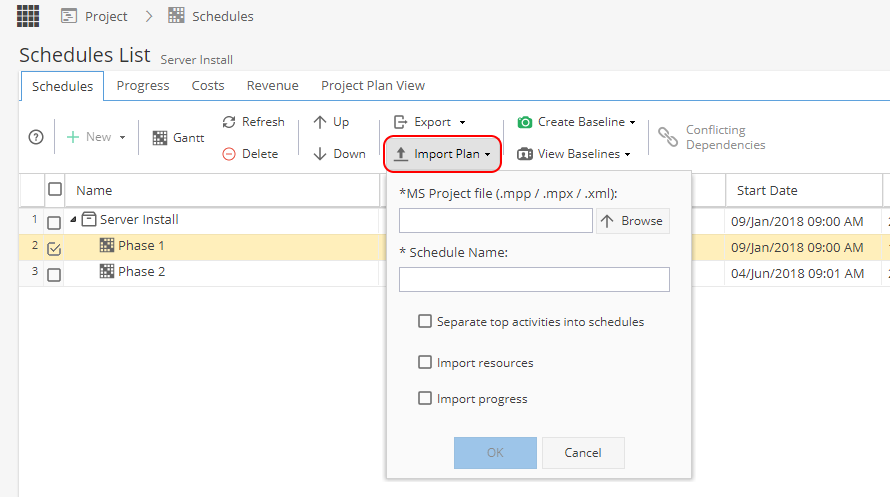
Project > Schedules > Schedules List
Import Plan
Additional Options are available for activities, resources and progress:
Export Schedule as MS Project Compatible:
Project > Schedules > Schedules List
Export Plan as MS Project compatible
One or Multiple Schedules can be selected by using the tick boxes on the left hand side
This will export in XML format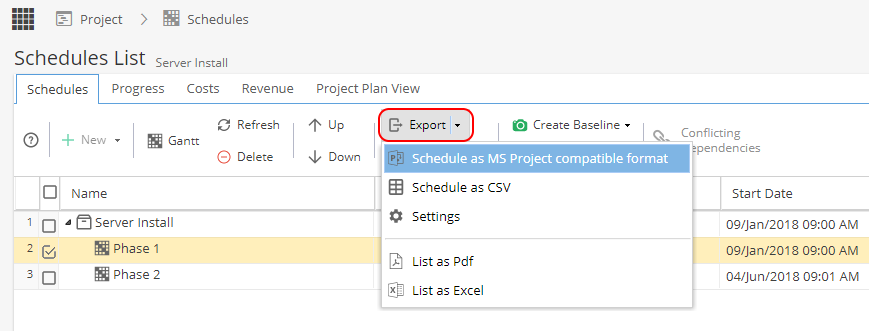
 Note: Tasks imported from MS Project will be set with Dynamic Assignment as the Scheduling Mode.