To create a new Calendar go to Admin > Calendars
From the Calendar List screen, click + New

Fill in the required fields such as Name, Time Zone, Hours / Days.
You have the option to make this calendar the Default or add a Description.
Then click OK at the bottom of the screen to create the calendar.
Note: The Hours / Days fields will allow you to use the arrows up / down to add or minus time.
If you need to add .5 you can type this in manually.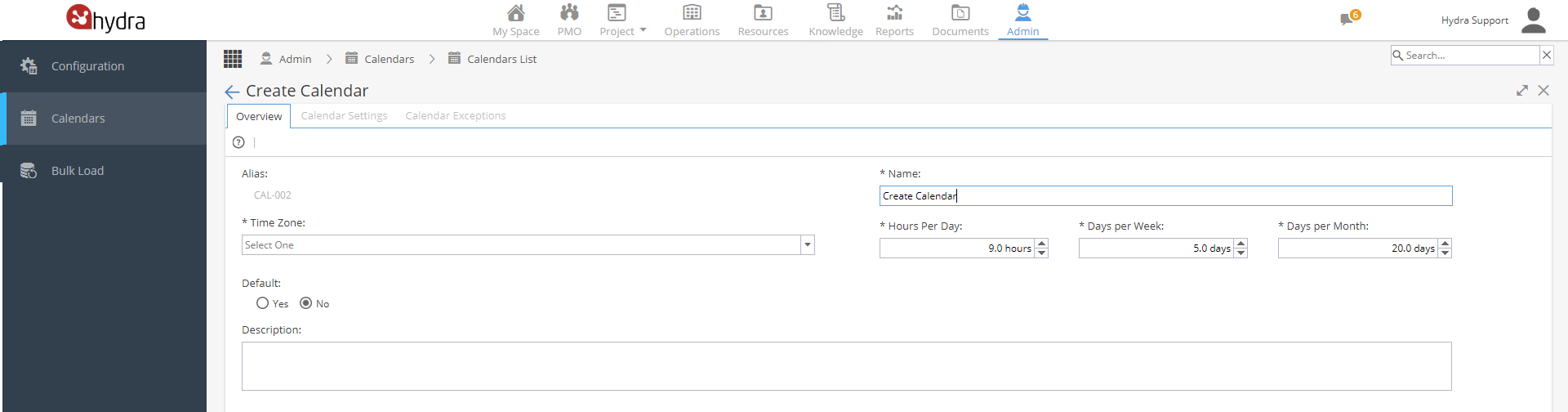
Once your calendar is created you will see the Overview screen.
From here, you will have access to the Calendar Settings and Calendar Exceptions tabs to build the actual working days and times for this calendar.