A Calendar allows you to define time zones, working days and times along with non-working days (Bank Holidays / Shutdowns) to be used for Resources / Projects. This helps the system to plan tasks more accurately.
From the Admin > Calendars > Calendars List menu you will see a list of existing calendars.
The list includes:
Alias
Name
Default *Only one calendar can be selected to be the default
Status *Active/Inactive
Time Zone
On the top right hand side of the List view you have 3 options:
Export - Export a copy of the Calendar List in your preferred format
Copy - When an existing calendar is selected you have the option to create a copy of it rather than create one from scratch
Display - Filter on Active / Inactive / All calendars in your list view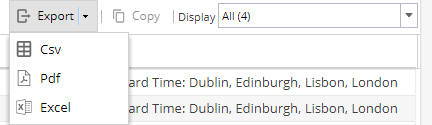
When a calendar is selected (the row will highlight yellow) you will have the option to make the calendar Active / Inactive (You can not make the Default calendar inactive without selecting another calendar to be the default option first).
Double click on the name of a calendar to go to the overview screen
Or click on the + New option to create a new calendar.