The Calendar Settings define the working pattern of days / times, when assigned to a Project / Resource this can help the system map out the tasks realistically *depending on your availability calculation settings.
When you first set up a Calendar these settings will be blank.
Click + New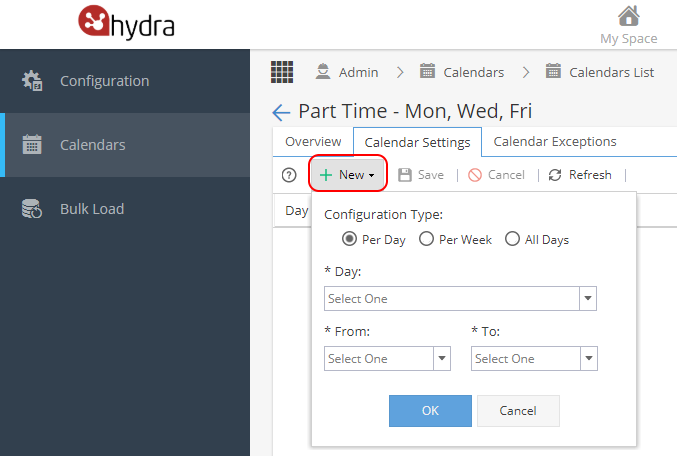
There are 3 Configuration Types:
Per Day - Day Option below needs to specify which day of the week to be applied to
Per Week - Assumes typical working week of Monday - Friday
All Days - Covering Monday - Sunday
From / To are drop down options to select the start and end times for the day.
Press OK to add.
Tip: If you need to add a lunch break you would need to add the times in 2 batches
e.g Per Week, From 9am - 12:30pm and again Per Week from 1:30pm to 5:30pm
will give you a typical 7h30m day with 1hr for lunch as shown here:
If you have any times overlapping the screen will show red text on the affected rows and give an error when saving. 
You can double click a From / To field to update the time or you can use the  icon under Actions on the right hand side if you need to delete a row.