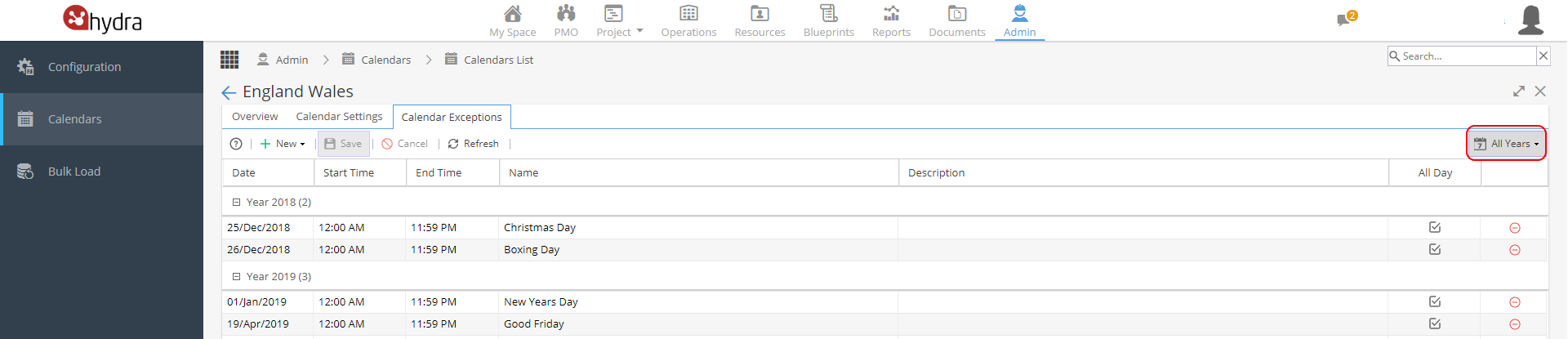
Calendar Exceptions allows you to block out days which would not normally be worked such as Bank Holidays or a Company Shutdown.
To create a new Calendar Exception click the + New button.
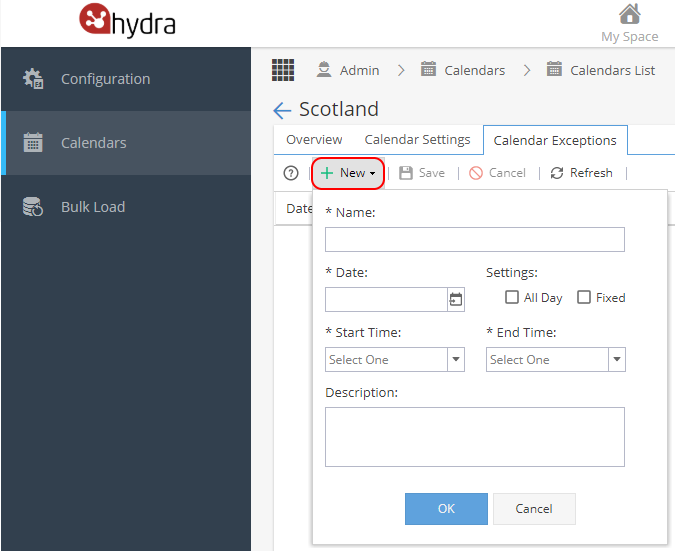
Add a Name
Select a Date
The Settings section has 2 check boxes:
All Day - Lasts All day on that Date/Day
Fixed - Every year it will be fixed schedule.
*Note: Fixed means fixed, the date will not adjust if a bank holiday falls on a weekend
If All Day is not ticked, select the Start Time / End Time
It is optional to add a Description
Click OK to add the exception date but remember to also Save once all changes have been made.
You can filter by year from the button on the top right: