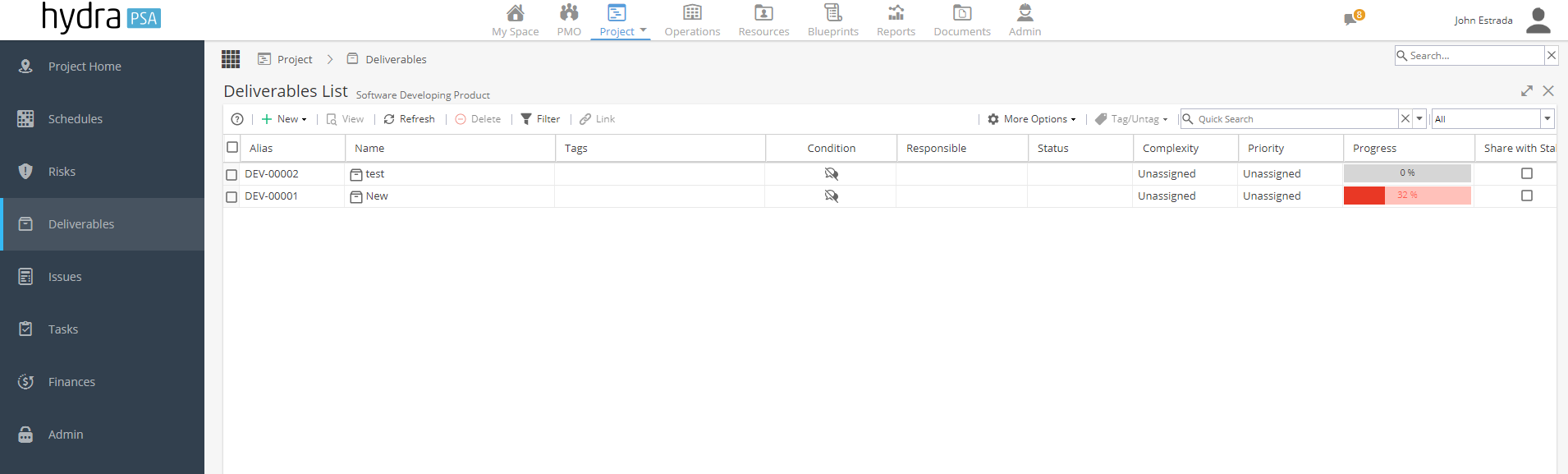
The Deliverables List section allows you to Create a new Deliverables and Displays the Deliverables list that have been created the project's Schedules. As well as, Export the Deliverables to various formats by Clicking on Export and selecting your desired Format.
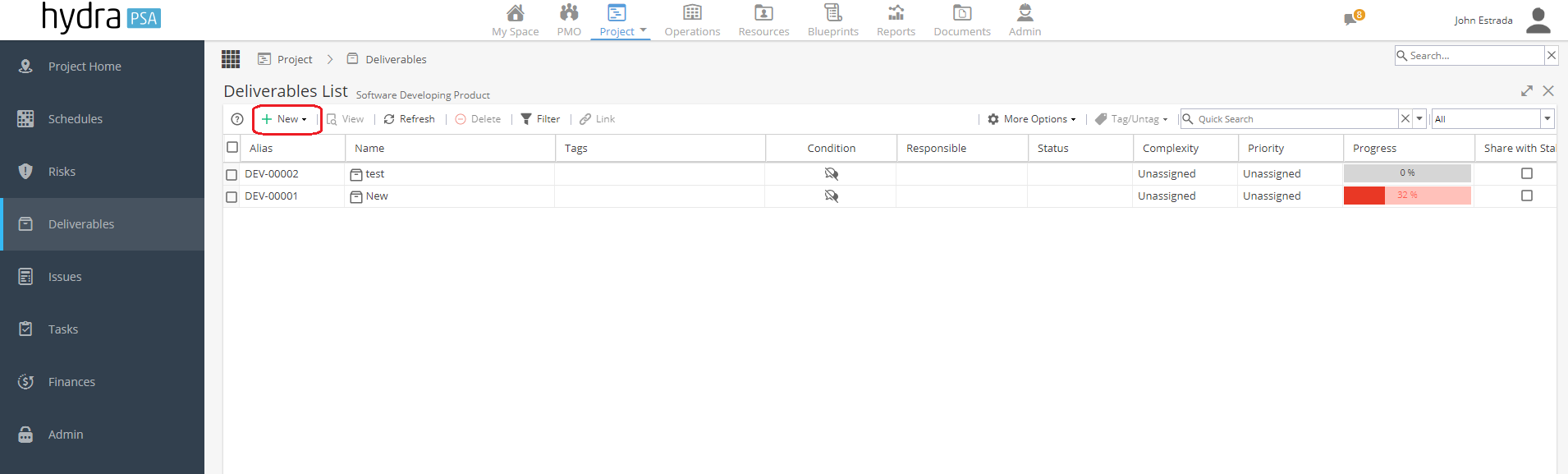
To create a new a Deliverables click New + button.
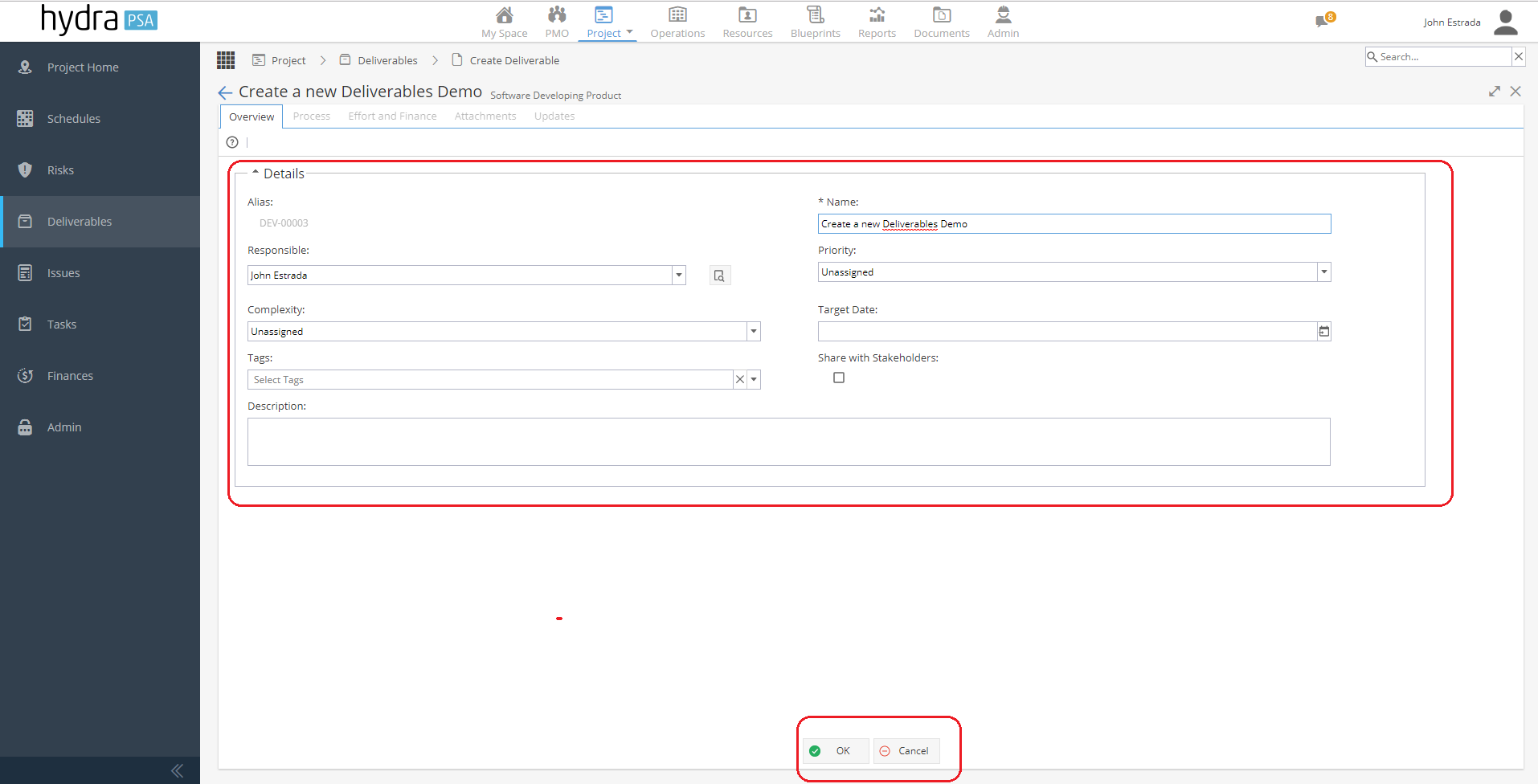
Fill up the mandatory fields.
Alias - Enter Deliverables Alias ( Optional ) this can be disabled by System Admin.
Name - Enter Name of the Deliverables.
Responsible - Assign Responsible Resource ( PM )
Priority - Priority type (High, Medium, Low and Unassigned).
Complexity - Select Complexity type.
Target Date - Select Target Date.
Tags - Add Tags.
Share with Stakeholders - Allowing the stakeholders to access the deliverables.
Description - Add Description.
Click OK button to proceed
Click Cancel to abort creating.
Processing of Creating a new Deliverables
To set up the deliverables click the + button and select any from the option list in the right hand side of the column.
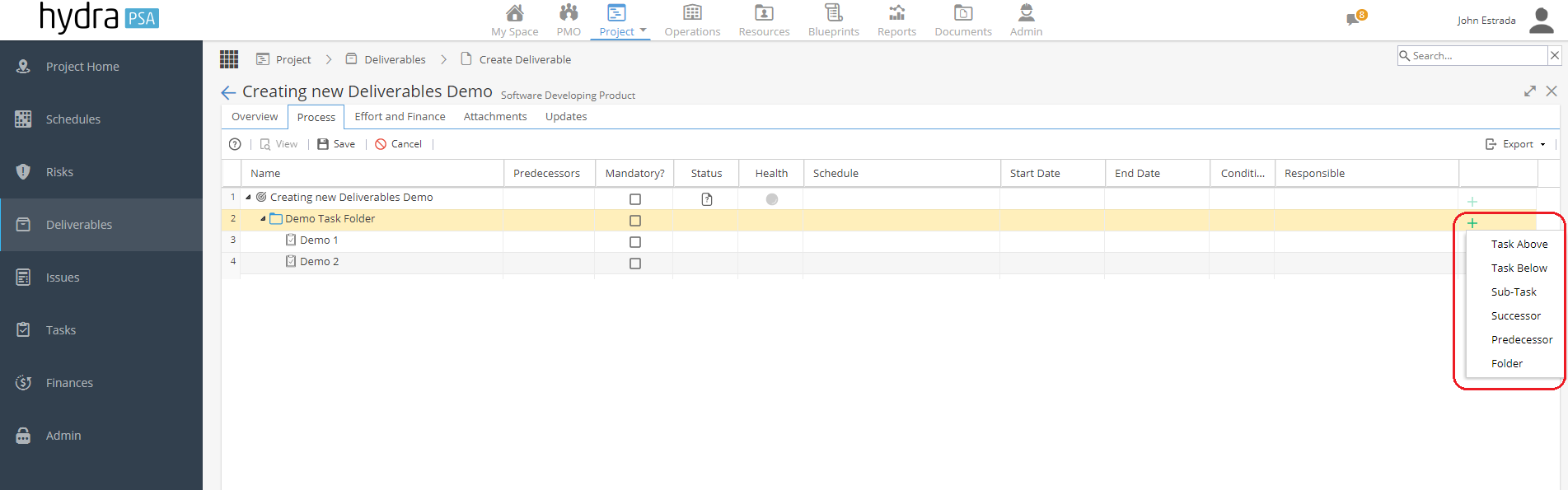
Selecting existing Activity or Tasks
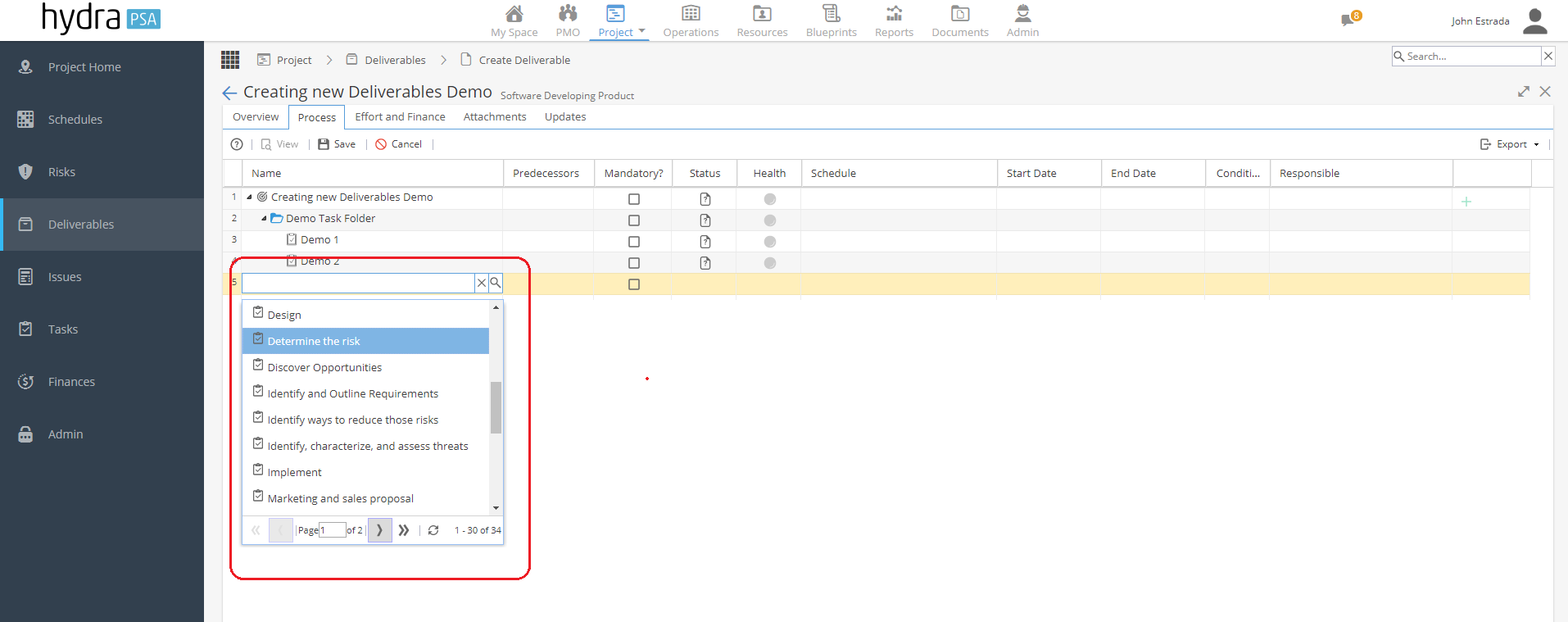
X and Search (Magnifying glass) appears.
X - Close the drop down options window.
Search (Magnifying glass) - Click to make filter search appear, allows you to select either Activity or Task.
Plan it into a Schedule
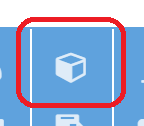
Click this logo below "Show Deliverable Panel"
New window "Deliverable Manager" appears
In this view, Shows all the list of Deliverable >> Collapse the Deliverable >> Folders >> Task. This allows you to Plan Task individually.
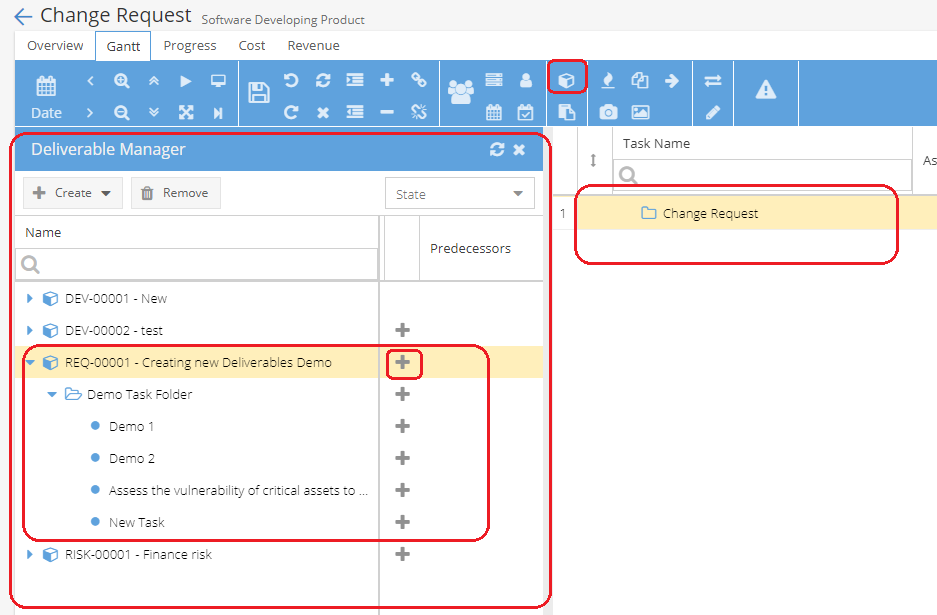
To add the Deliverables to Schedule, highlight the Project Name Folder >> Click + Select button and Click to Plan task.
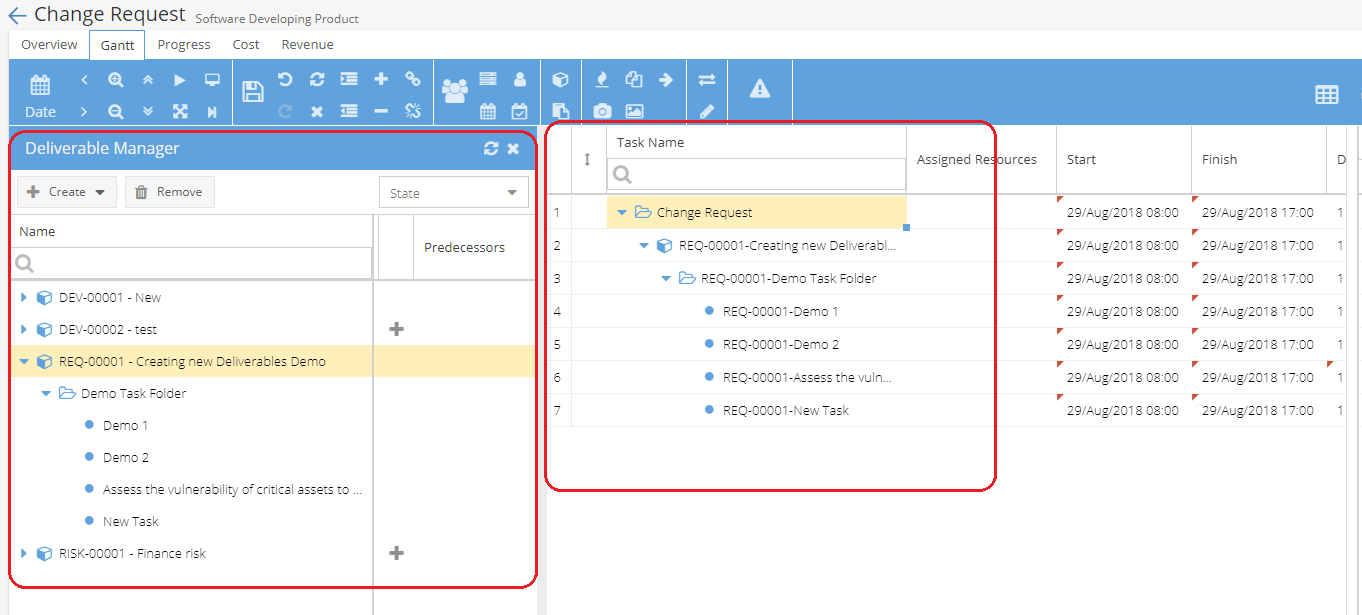
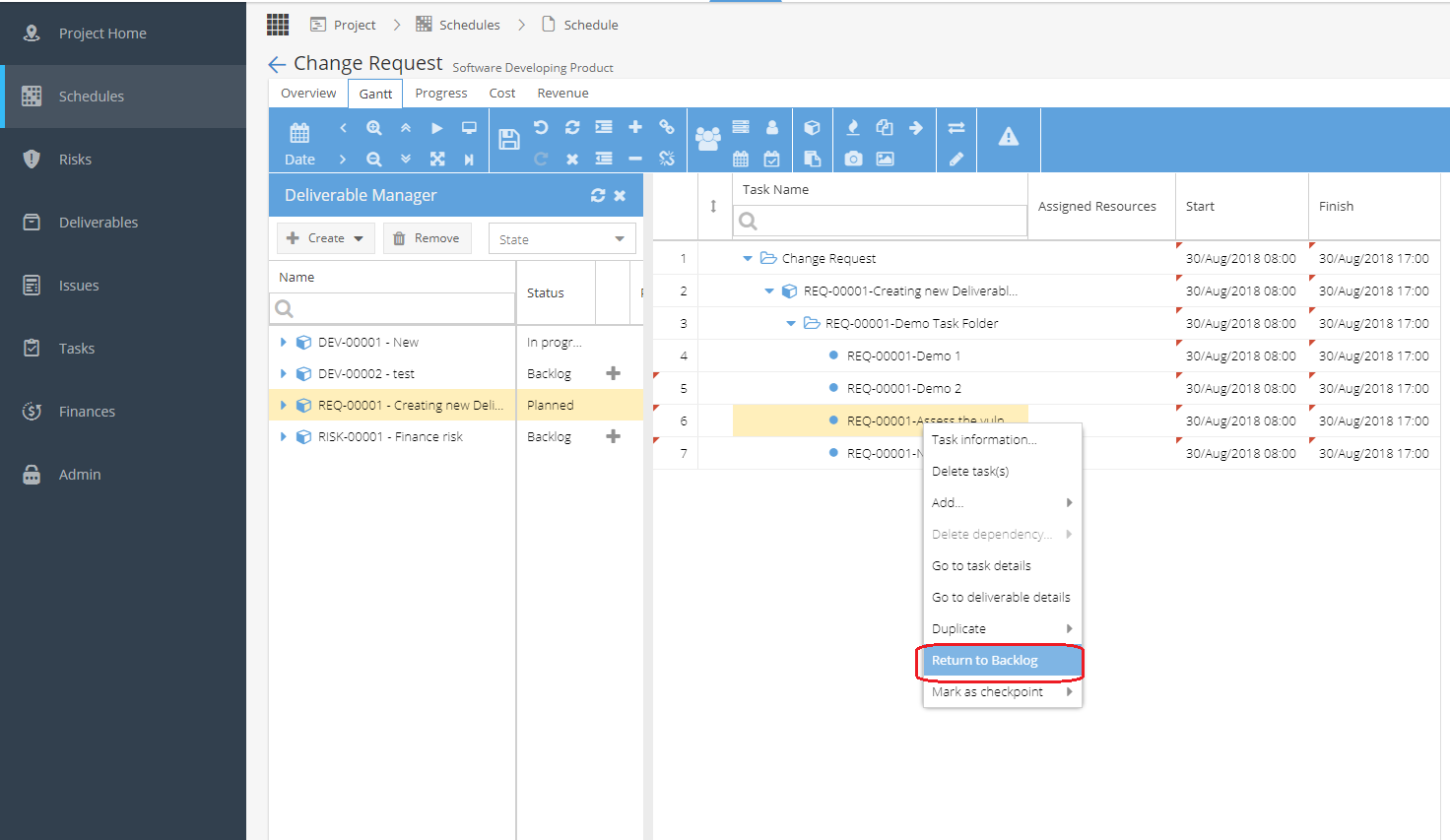
To remove the deliverables or a Plan task to the Project Schedule, Right click on the Deliverables or Task then click Return in Backlog.