Alerts are a way to make PMO aware of when unexpected changes are being made, as examples this could be a process is being bypassed or a user deleting Tasks.
Keeping track of Alerts could help to identify if Resources need additional support / training or if your Blueprints need to be updated, helping you to keep getting the most from using Hydra.
-
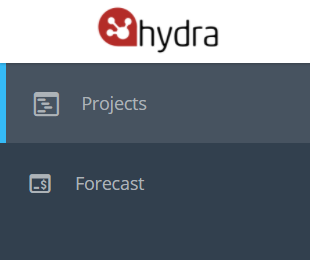
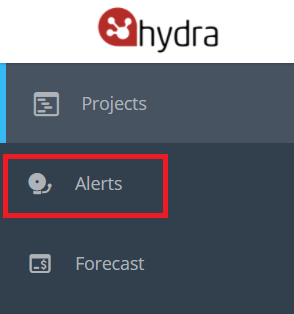
If you go to the PMO menu and Alerts does not show on the left hand side it means that this option is not currently enabled for your company.
To enable this feature you need to Activate Alerts via Admin > Configuration > Company Preferences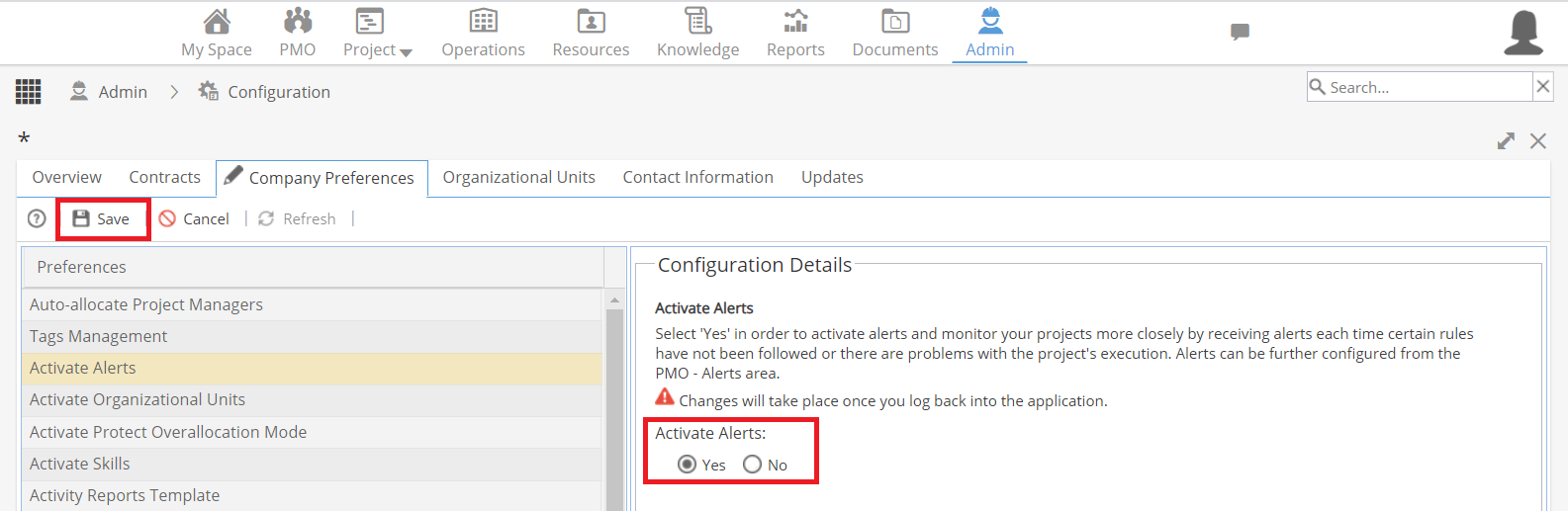
Once enabled, log out and back in to Hydra to be able to see the Alerts menu.
-
You have 4 options to choose which Alerts you want to see:
- When Mandatory Tasks / Activities are deleted
- When the Approval Process of a Task is skipped
- When a Task is completed or approved without mandatory input / output
- When a Task is completed or approved without mandatory checklist items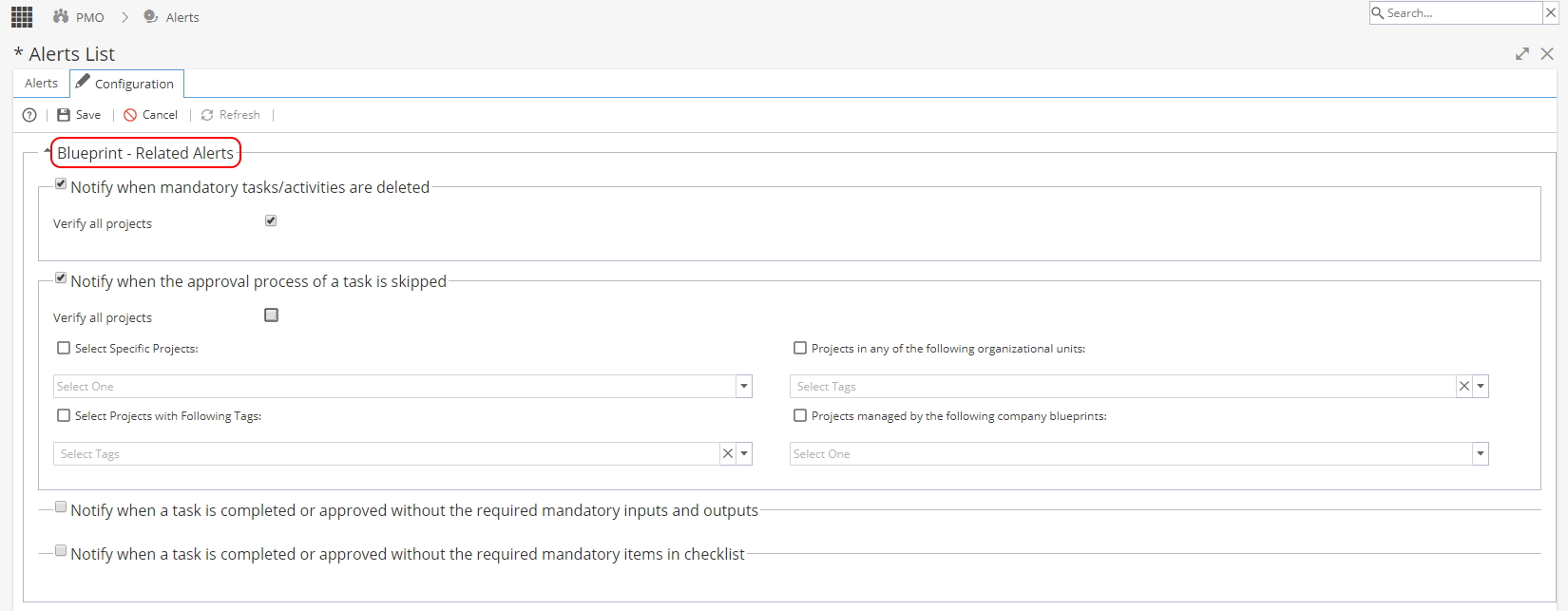
For each alert type selected, you can specify if you want to set this for:
- All Projects (When unchecked you will get the additional options shown below)
- Specific Projects
- Projects with certain Organizational Units
- Projects using Tags
- Projects using Company Blueprints -
You have 2 options to choose which Alerts you want to see:
- When the deviation in the progress of a project (actual or planned) is greater than x %
- When the published schedule has been modified more than x number of times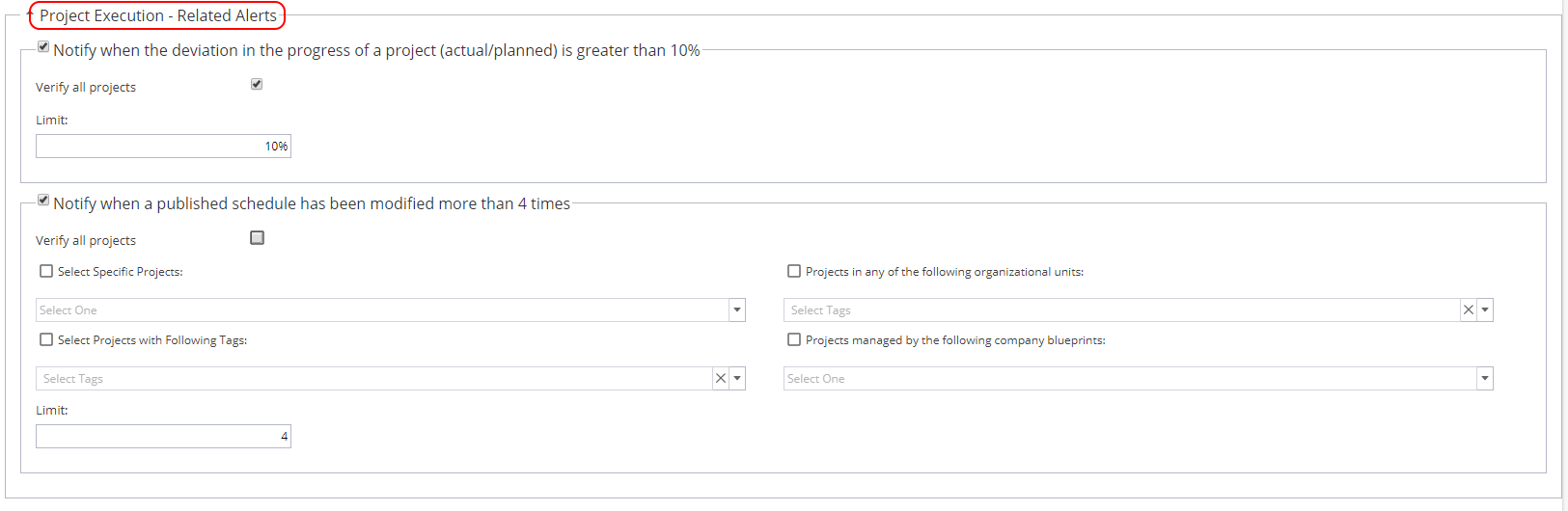
For each alert type selected, you can specify if you want to set this for:
- All Projects (When unchecked you will get the additional options shown below)
- Specific Projects
- Projects with certain Organizational Units
- Projects using Tags
- Projects using Company Blueprints
Note: The number shown in the Alert header is taken from the limit set, the system will default to 10% and 4 but this can be changed by double clicking and editing. Once you adjust the limit, click save and the header will update automatically. -
Project > Project Home > Alerts List Tab
Report Widget available in Reports > Company Dashboards called 'Alerts'