What is the Critical Path?
Critical Path Analysis (CPA) or Critical Path Method (CPM) is a widely used tool in Project Management to help Project Managers handle complex and time-sensitive operations.
Some processes are linear
Take brushing your teeth as an example, you can't start brushing until you have put toothpaste on the brush and you can't rinse your mouth out until you have finished brushing, so each step must be completed before the next can begin.
Some processes can be done simultaneously
Like making a cup of tea; whilst the water is boiling you can grab a mug, tea bag and milk so everything is ready to go when the kettle boils.
In very simple terms, the critical path takes all activities the business needs to complete as part of a Project and works out which ones need to be completed before something else can begin. It also helps to identify any tasks which could be done at the same time as other tasks.
The Critical Path can help you to be aware of any risks where delays can impact your Project being completed on time, this can help you manage the Project e.g. allocating additional resource.
Why should I review the Critical Path?
Through Critical Path Analysis (CPA), project managers are able to make more accurate schedules and estimations. Identifying opportunities for tasks which can be done simultaneously helps maximise efficiency, potentially reducing the time frame for Project completion and helping your organisation to work in a leaner way.
Where is the Critical Path shown in Hydra?
Project > Schedules > Gantt
On the blue menu bar you will see this icon 
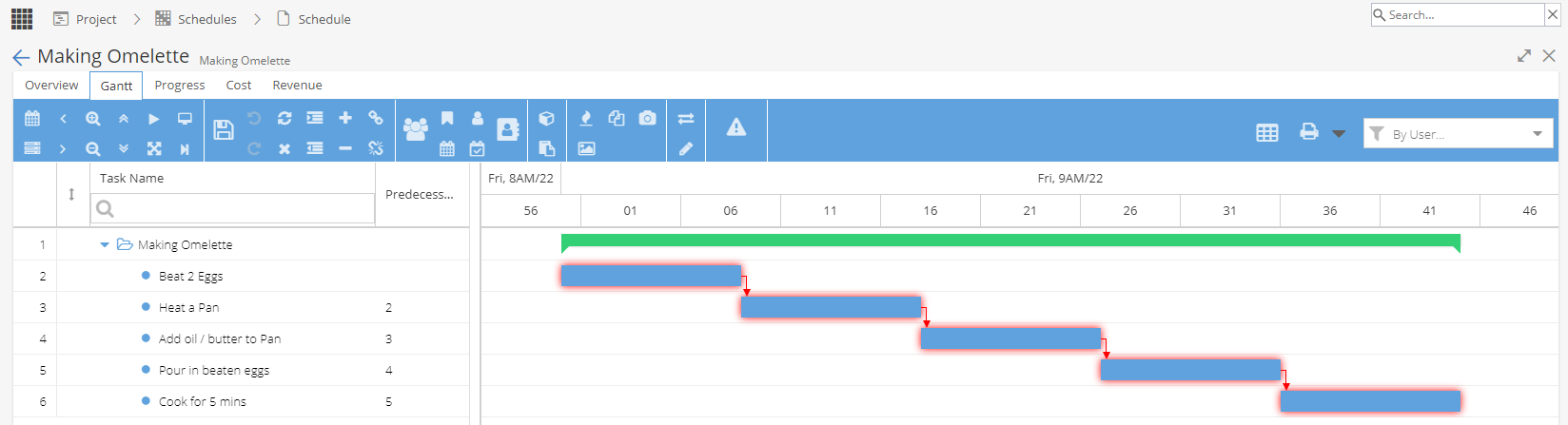
In the example below, each task is linked to the one before, so all Tasks have been highlighted as critical to the project being successfully completed.
In this example, some extra Tasks have been added with no predecessors.
This helps to identify and plan Tasks which can be done at the same time as other Tasks are underway.
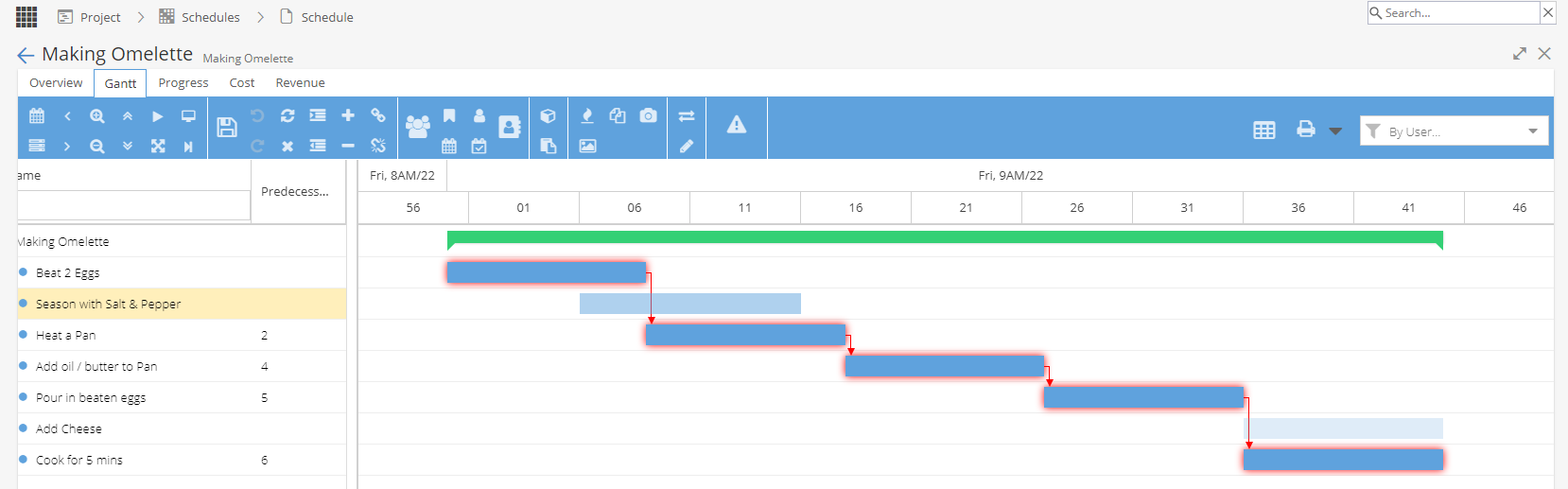
So I could make an omelette with no seasoning / cheese, which will not impact any other Task, the result may not be as tasty but I will still be able to deliver the end goal of an omelette by completing the tasks on the critical path.
How is the Critical Path calculated?
The algorithm for working out the Critical Path is more complex than just looking tasks with predecessors. Hydra uses the industry standard calculation built into the Gantt so you don't have to do any working out, the critical path will be visible at the touch of a button.
You can not directly manipulate the Critical Path. Instead, you can make changes to the Tasks and check the impact by reviewing the Critical Path - Hydra is doing all the calculations for you.
It is possible to edit the critical path view in MS Project by changing the calculation options but this is not following the normal way to work out the Critical Path so we would always recommend sticking to the results produced by Hydra as they will be consistent and reliable.
Where else can I see the Critical Path?
From Project > Schedules > Project Plan View
What is Total Float / Total Slack?
Total float is the amount of time an activity can be delayed without delaying the project completion date. For tasks on the critical path, the total float is zero.
What is Free Float / Free Slack?
Free float is the amount of time an activity can be delayed without delaying the Early Start of its successor.
How can Hydra help calculate Float / Slack?
Hydra will highlight the critical path but if you want to look in more depth you can export the schedule in MS Project and change the settings to show Free / Total Float / Slack.
If you are trying to make the calculation for some specific tasks, you can add additional columns to your Gantt view (Free Slack / Successors / Predecessors / Early Start / Late Start / Early Finish) to help you work this out.