When a Project Blueprint is selected, you will be taken to the Overview tab:
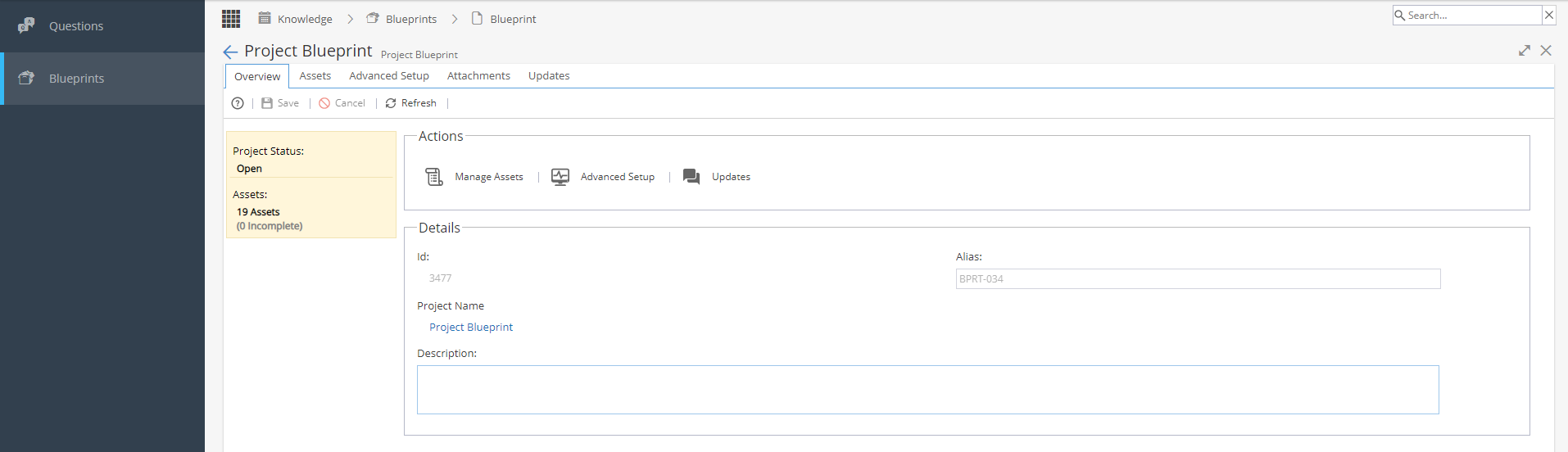
Actions:
Manage Assets will take you to the Blueprints Assets tab
Advanced Setup will take you to the Advanced Setup tab
Updates will take you to the Updates tab
Details:
ID - System Generated
Alias - Usually System Generated *depending on set up under Admin > Configuration > Company Preferences > Automatic Alias
Project Name - Will take you to Project > Project Home > Overview tab
Description - Can be added / edited