This tab gives you details of the costs for the selected schedule:
The columns in this view are:
- Name (Of the Task)
- Predecessors - Is the task dependent on any of the other tasks in the list
- BAC (Budget At Completion) - The sum of all estimated costs of all tasks within the Schedule. 'Estimated cost' is the hourly cost of the Resource multiplied by the estimated number of hours to complete the task. If using Fixed Cost Model, this value will be used automatically
- PV (Planned Value) - BAC x Planned Progress
- EV (Earned Value) - BAC x Actual Progress
- AC - (Actual Cost) This is the hours logged against the Task to date x hourly revenue per Resource.
'Hourly revenue per Resource' is set on a per-project basis in Project - Finances - Resources Sheet
or on a company-wide basis in Resources - Profiles - Costs and Rates - EAC (Estimate At Completion) - This is calculated as ( AC + ( BAC - EV )) / CPI
- ETC (Estimate To Completion) - This is calculated as ( BAC - EV ) / CPI
- SPI (Schedule Performance Indicator) - The efficiency of time spent on the Schedule. This is calculated as EV / PV
- CPI (Cost Performance Indicator) - The efficiency of Resource utilisation of the Schedule. This is calculated as EV / AC
Use the arrows to the left of the Name column to expand / collapse to adjust the breakdown: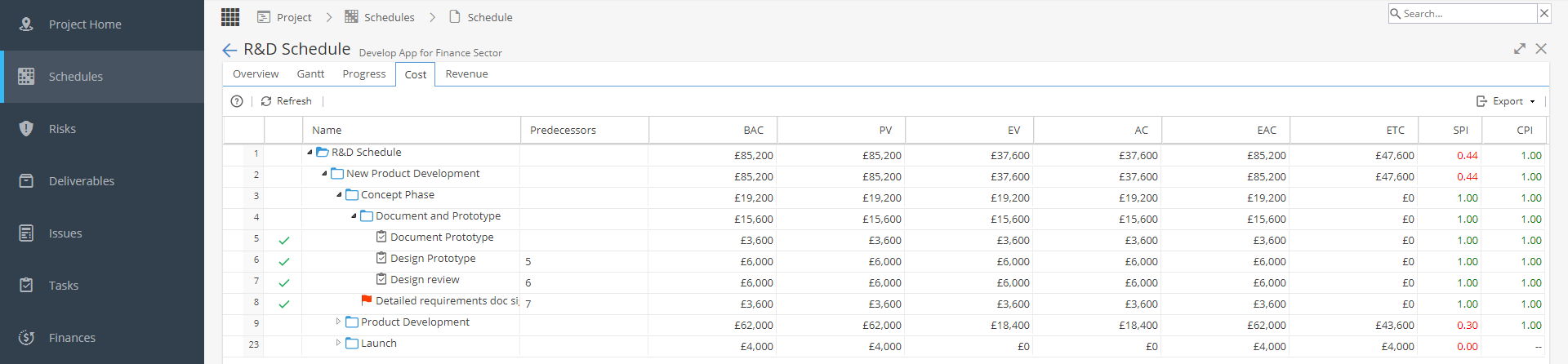
Hover your mouse over the column headings to see a drop down arrow appear, this will allow you to:
- Sort on a column, click the drop-down arrow on the right of a column heading and click 'Sort Ascending' or 'Sort Descending'.
- Hide/display a column, click the drop-down arrow on the right of a column heading, scroll to 'Columns' and tick/untick a column as desired.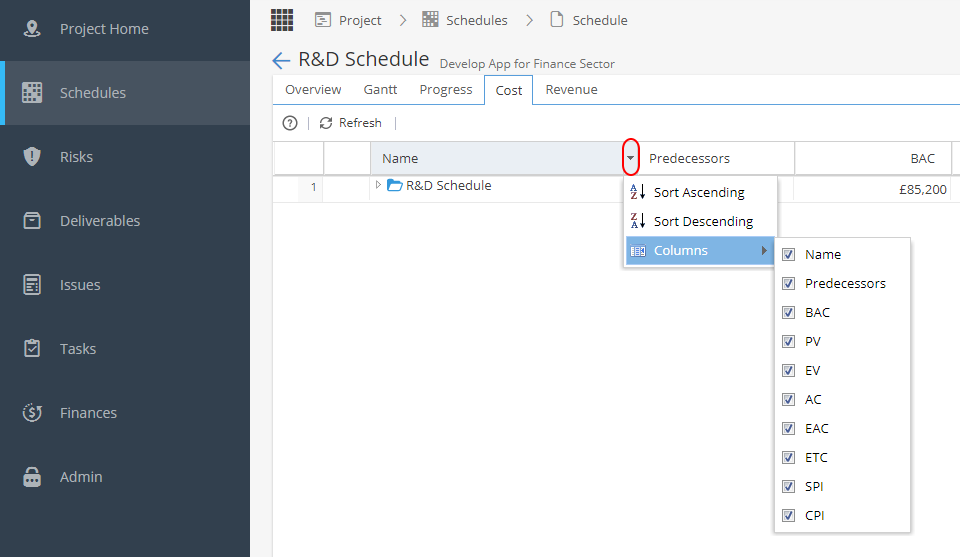
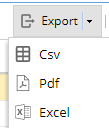
Export allows you to export the Schedule costs to various file formats, to do so click export and select which file format from the drop-down menu that appears.