If you are unable to see a User check the following:
1) Filters
Check your filter settings and sure the Display option on the top right is set to show All users
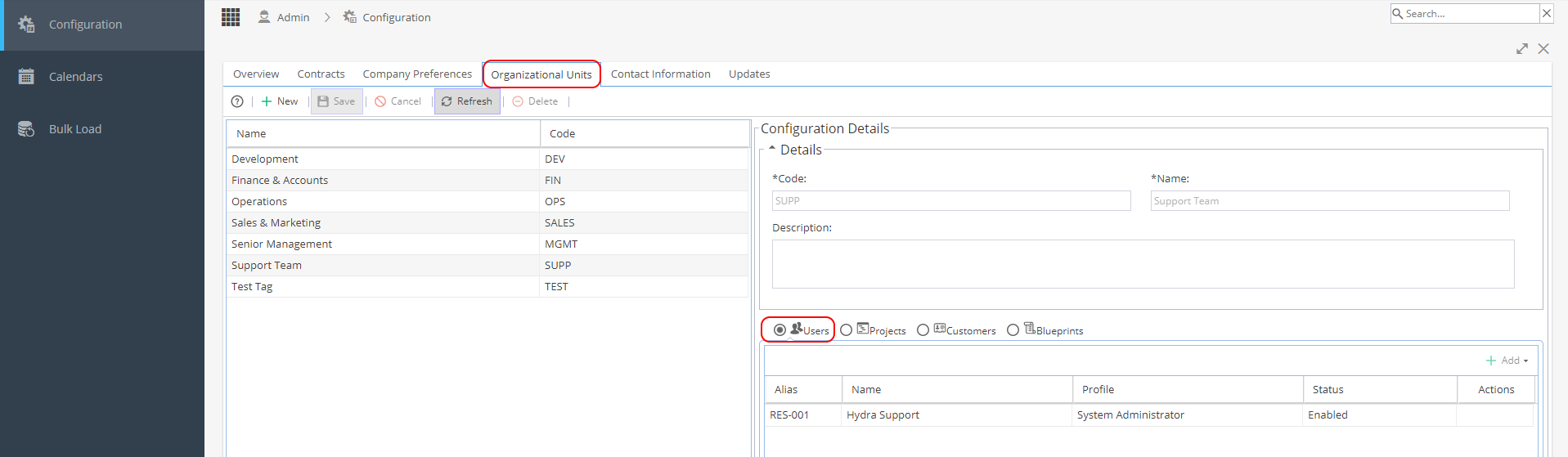
2) Organizational Units
Check Admin > Configuration > Organizational Units
Go through each org unit one by one and check the Users in the bottom right panel
To see a User you must be part of the same Org Unit as them
System Admin users may need to make sure they are included on all Org Units to have full visibility
Once you are a part of the same Org Unit you will be able to see the Resources when you refresh your screen.