The Content tab will show you:
Version Number
Created On (Uploaded Date and Time)
Created By (User who uploaded)
Comments
You have 3 options on this screen:
Refresh - Refresh the screen to see any changes
Download - Select a file to download / view a copy
Rollback - Click on the version you want to restore and hit rollback to revert to this version.
A new version will be created with the comments automatically noting it was a rollback to a previous version.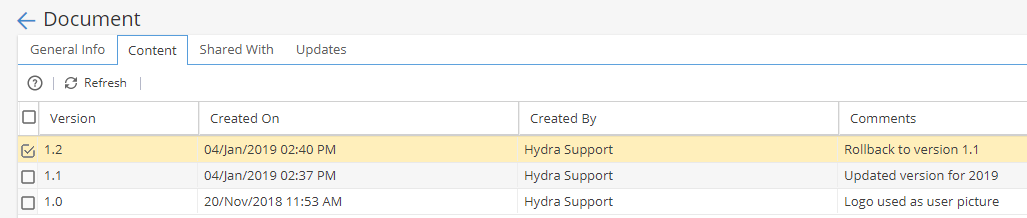
If you are viewing an "Online" Document created from a Task, double click into the white space to see the text editor to create the content: